Field-ready. Office-capable.Included.

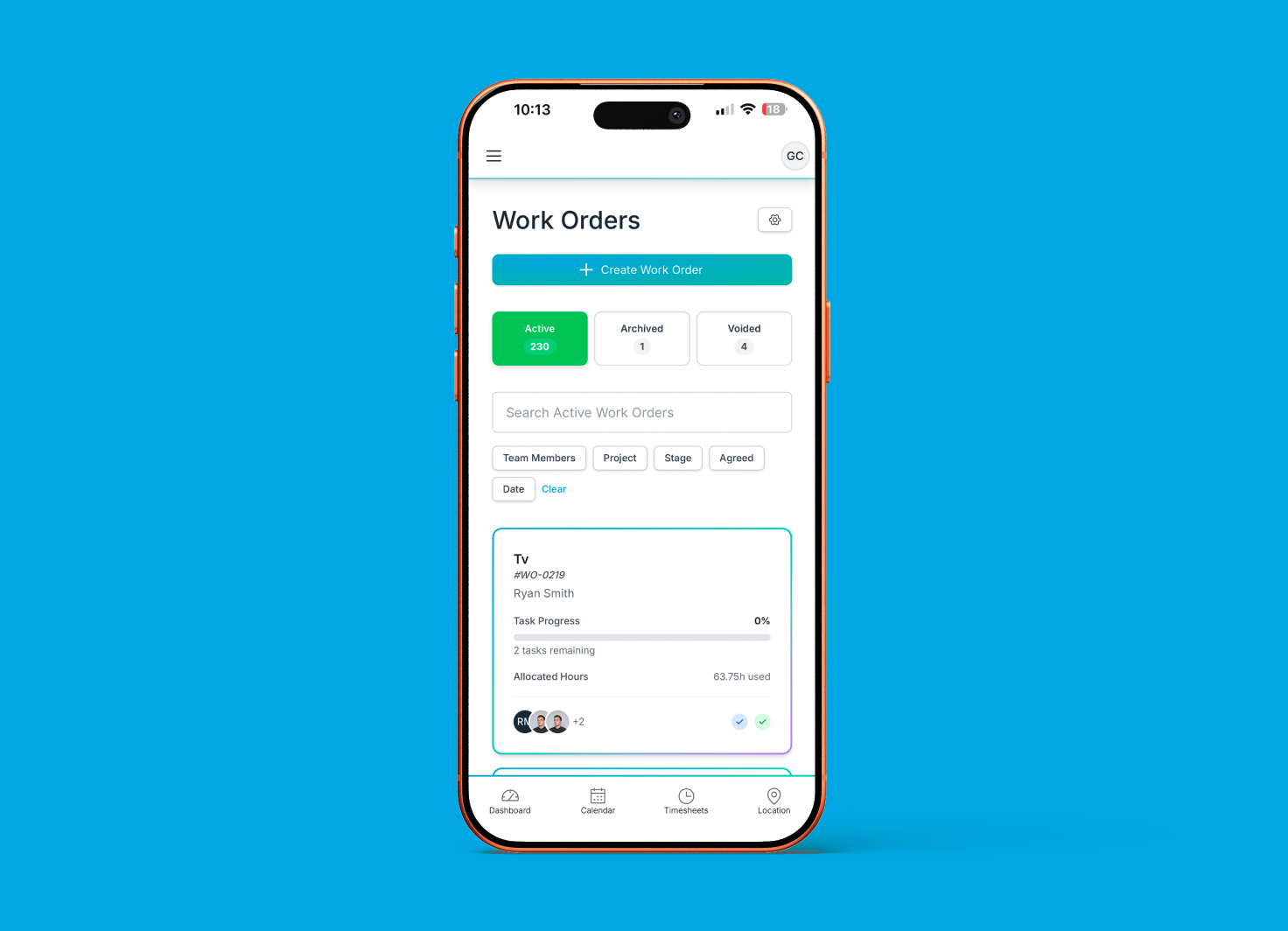
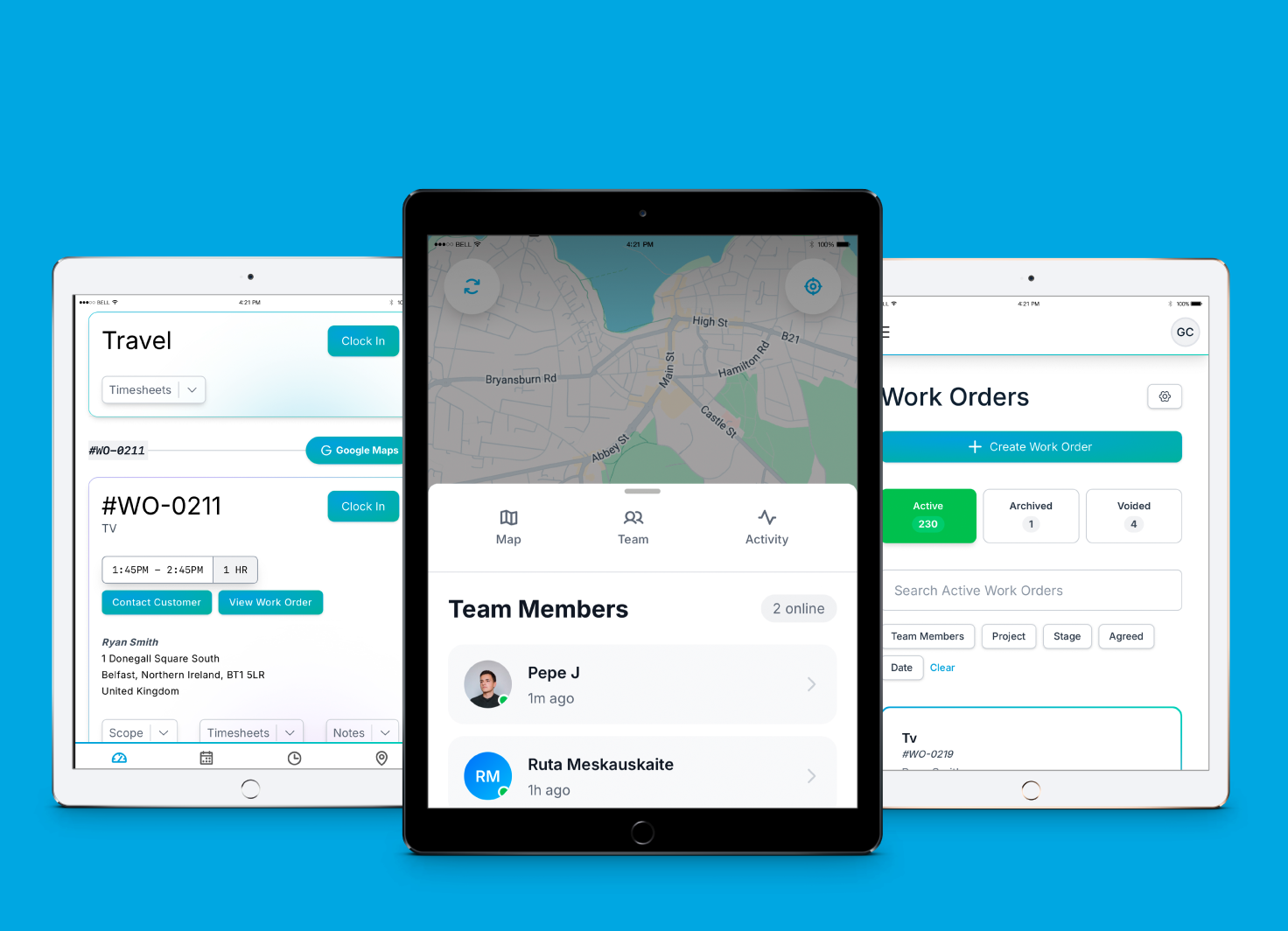
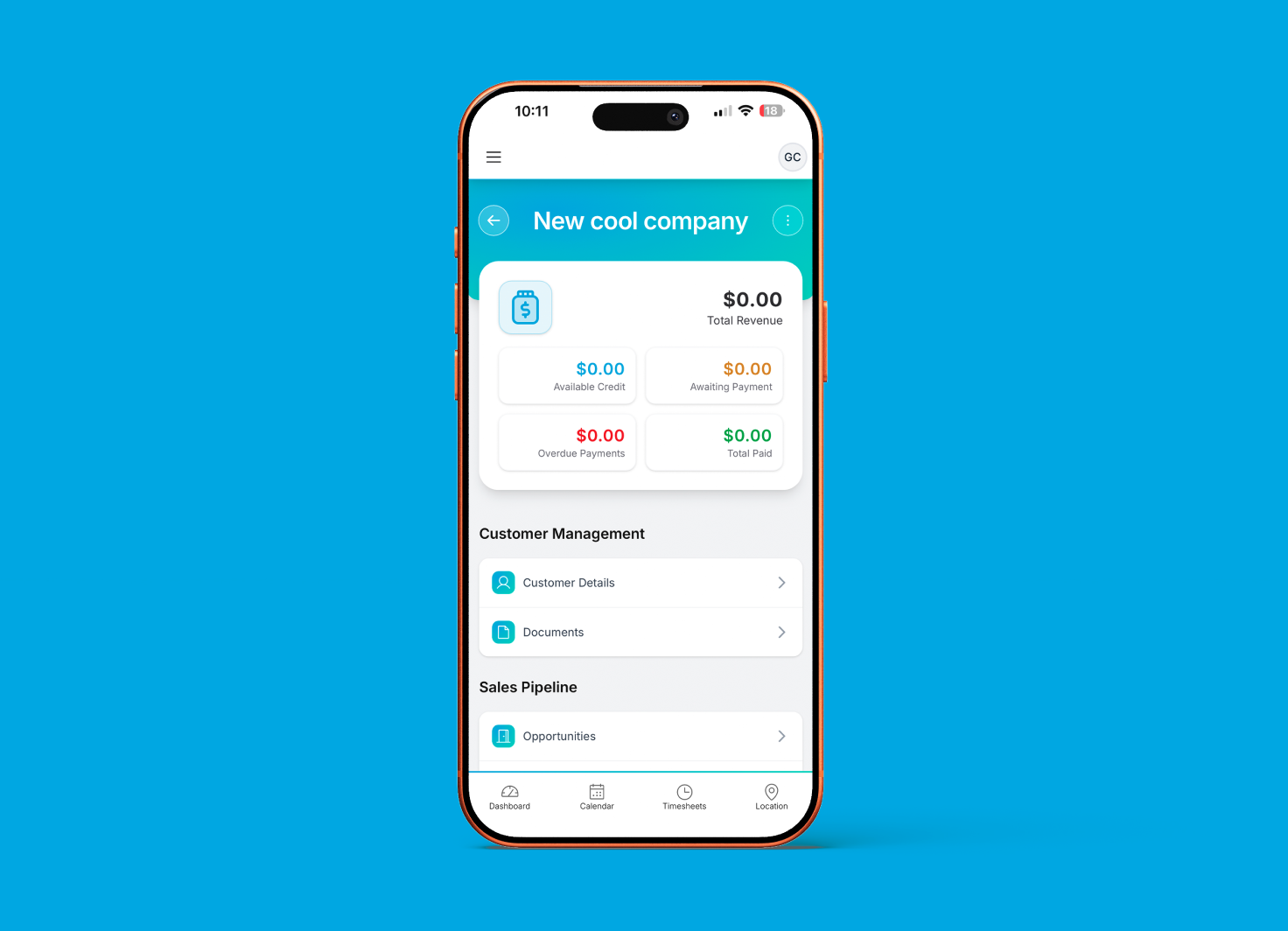
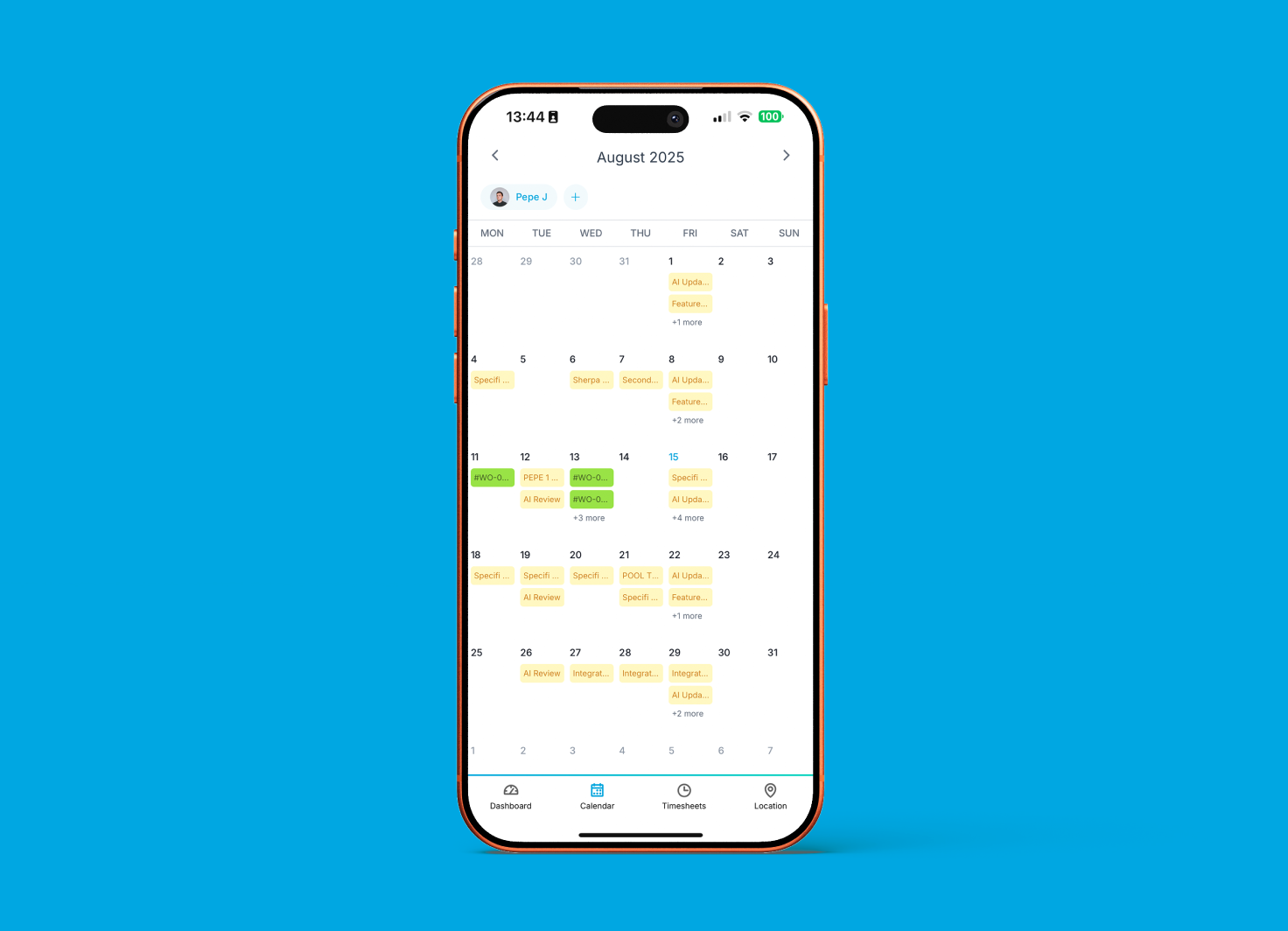
Native iOS and Android. Field crews work the day from the phone: work orders, clock-in, photos, and on-site client e-signature, with no per-user app fee.

Built for the field.Used by the crew.Earned every day.

Work orders on site

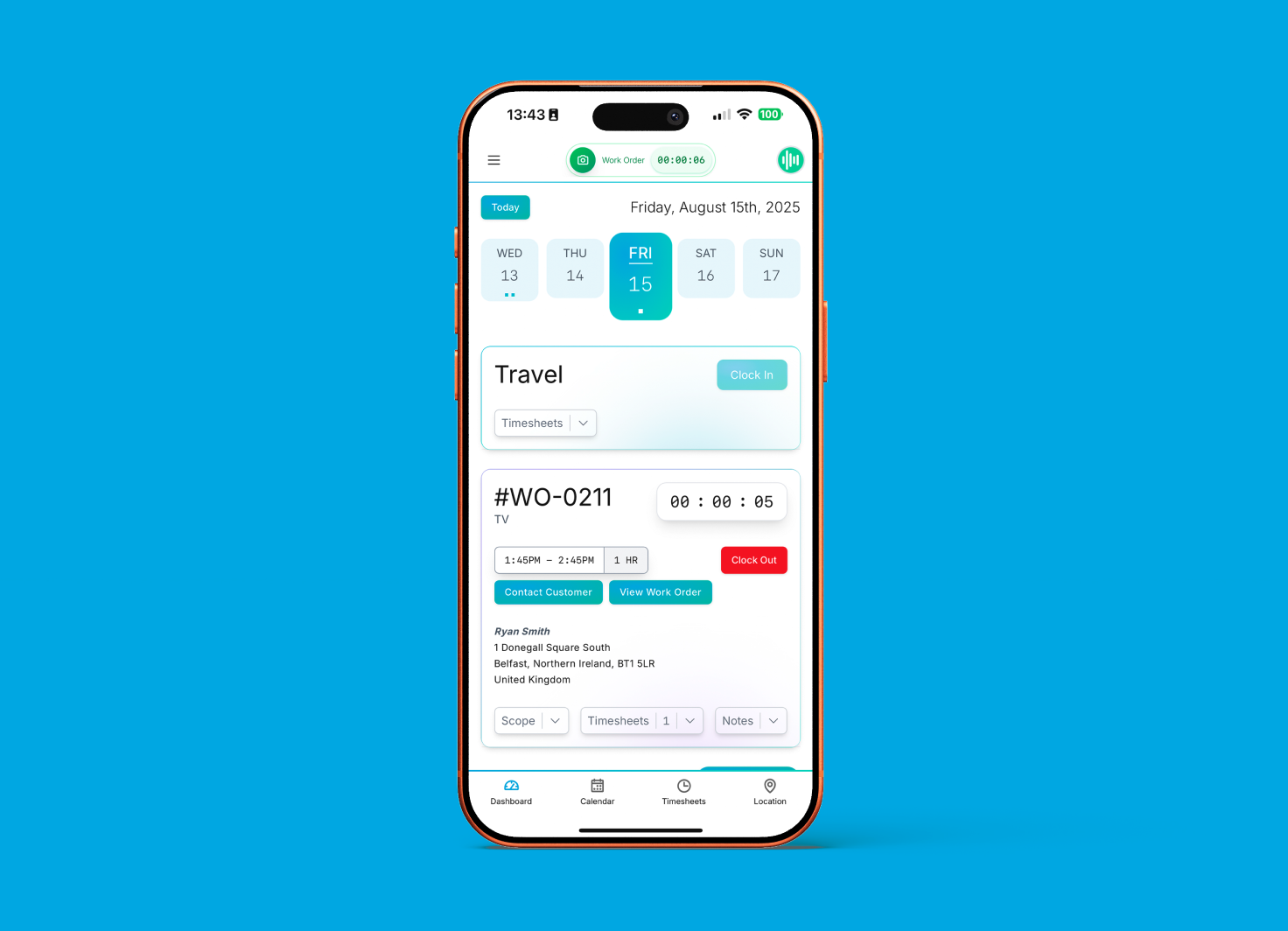
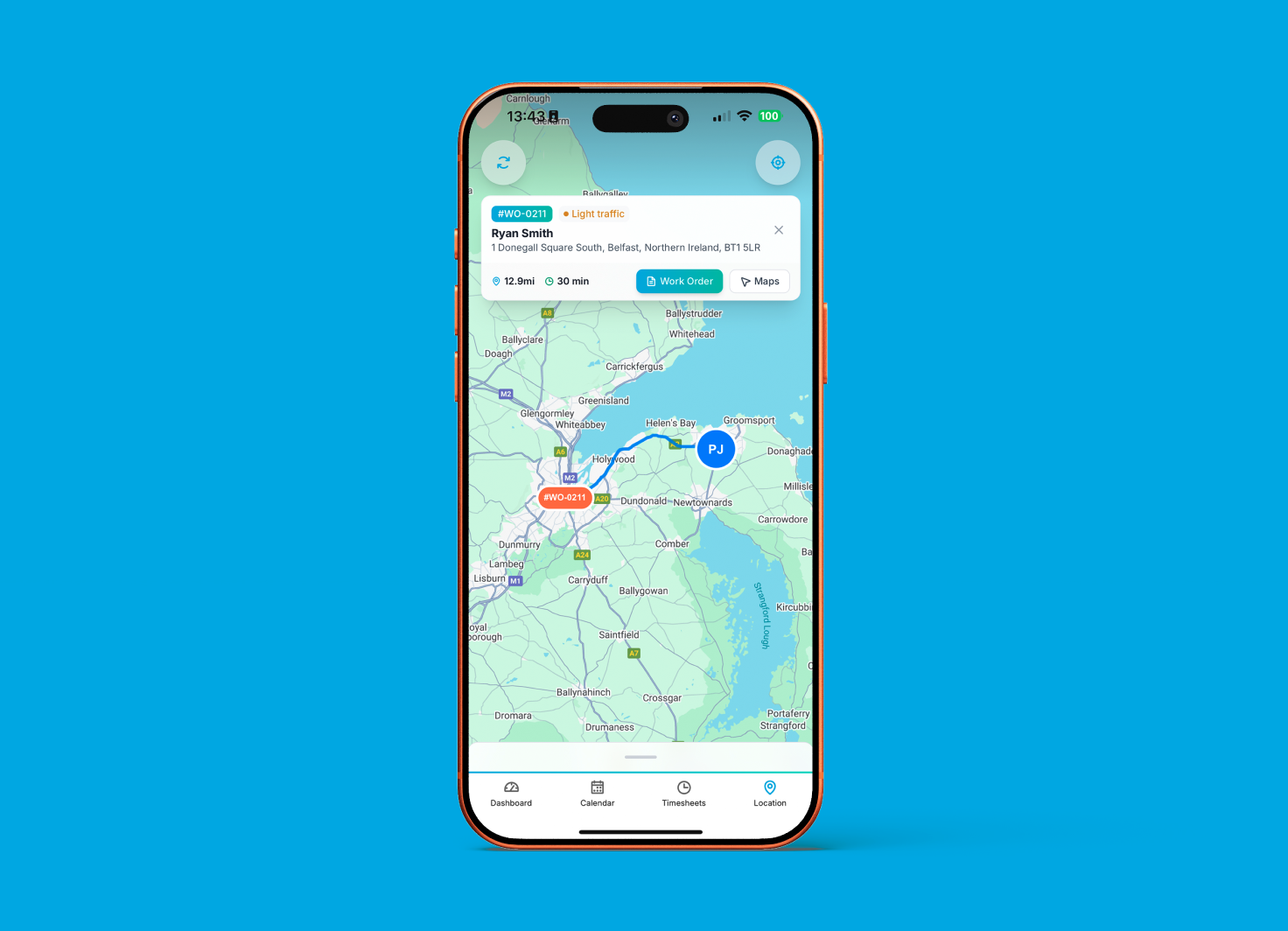
Crews see today's jobs, today's addresses, today's parts pick list, and today's expectations. Check-in, check-out, and update status (en route, on site, on hold, completed) from the phone. The office sees the field crew's state without a phone call.

Time logging

Clock in and out of jobs from the app with one tap. Travel time tracks separately from install time. Optional GPS confirmation on the clock event. Hours roll up to project profitability automatically; the labour cost basis on the project is current the moment the technician taps clock-out.

Photo capture & e-signature

Photos attach to the work order with drawing-tool annotations. Handover docs and service records build themselves from field uploads. At completion, the client signs the sign-off sheet on the technician's screen with a finger or a stylus; the signed PDF appears in the customer portal immediately.

CRM on the move

The salesperson in the car between two site visits opens the same app and sees the pipeline, today's tasks, the activity feed, and the most recent thread on a deal. Log a call, book a follow-up, send a proposal from an existing template, or approve a change order from the kerb.

Cloud-connected today

The app needs a connection to work today. Full offline mode (multi-hour capture in zero-signal sites that behaves identically to an online session) is in active development. If your work pulls you into rural commissioning, deep-basement panel rooms, or elevator-shaft installs where signal blackspots are routine, flag it during onboarding.

Bob the AI on mobile

Read-side queries from any mobile browser today (open app.specifi.io in Safari or Chrome): projects over budget, overdue invoices, today's schedule. Native-app Bob (in-binary, push-notification-aware) ships with the next major mobile update.

Why integratorsmake the switch.

The day-rate hour stays on site

Crews have everything they need on the phone before they leave the depot: the work orders, the project pack, the schematics, the client-specific notes, the parts pick list, the safety requirements. No driving back for docs. No calling the office for details. The hour you bill at full day-rate stays where the customer can see it being earned, not eaten by a round trip back to the office for a wiring diagram somebody forgot to print.

Live field data

The office sees what is happening as it happens: clock-in events, work-order stage changes, photos uploaded, e-signatures captured, time logged. Dispatch re-plans the day on a 5-second refresh, not a 30-minute callback chain. Customers stay informed because the customer portal is reading the same live data the field is writing into the platform.

Bill before payroll runs

Time entries flow from the field straight to the labour cost basis on the project. Photos and signed sign-off sheets attach to the invoice the work order generates the moment it completes. The invoice is on the customer's desk before the technician has finished their drive home; the Friday-night reconcile-the-spreadsheets ritual retires.

Commonquestions

Contact us
What does the mobile app cover?

Two use cases, one codebase. For field technicians: the day's work orders, site addresses, parts pick lists, attached schematics, clock-in / clock-out time tracking with optional GPS confirmation, photo capture against tasks with drawing-tool annotations, on-site client e-signature on completion, and sync back to the office. For office users and salespeople: CRM contact records, pipeline view, today's tasks, activity feed, the ability to log a call, book a follow-up, send a proposal from an existing template, or approve a change order from the road. The same app surfaces both views depending on your user role; field users see the technician surface by default.

Is it on iOS and Android?

Yes, both, native apps. The iOS app is on the App Store. The Android app is on Google Play. Both builds are distributed by Specifi directly; there is no enterprise-side-load step. Feature parity is the goal across the two platforms; platform-specific differences (biometric login, Apple Pencil signature, Android file-system access patterns) are handled natively rather than through a lowest-common-denominator web view.

Does it work offline?

Not yet. The app needs a connection to work today. Full offline mode (multi-hour capture in zero-signal sites that behaves identically to an online session) is in active development.

How does time tracking work from the app?

The technician taps "clock in" against a work order; the app optionally captures GPS confirmation of arrival (with the technician's consent, configurable per account). They work through the tasks, take breaks, swap between jobs if the day's schedule includes more than one. At the end, they clock out and optionally capture GPS confirmation of departure. Time entries log against the project and the work order automatically, feeding payroll and the labour cost basis on the project. Travel time tracks separately from on-site labour so pricing, scheduling, and margins get sharper. Corrections are supported with an audit trail; the technician or office user can amend an entry, and the amendment records who changed what, when, and why.

Can clients sign on the technician's device?

Yes. At work-order completion, the app presents a sign-off sheet showing what was agreed, what was delivered, any variances, and a signature block. The client signs on the technician's screen with a finger or a stylus. The signed sheet uploads to the customer portal as soon as the app has a connection, which is normally the moment the signature lands at completion. This is the same e-signature path the web platform uses for proposal signing; it is admissible as evidence under UK and US e-signature law.

Can field techs see schematics and project docs?

Yes. Every work order in the app links to the project pack: schematics, wiring diagrams, floor plans, client-specific notes, safety requirements, and manufacturer datasheets. Documents download on demand and viewable inline on the phone (or downloadable to the device storage for repeat reference at the same site).

Is the office-user view a cut-down CRM?

It is a focused subset of the CRM, built for the salesperson in the car between site visits rather than a desk workflow. You see pipeline, contact records, today's tasks, the activity feed, and you can log a call, book a follow-up, send a proposal from an existing template, or approve a change order. What you cannot do from the app is edit a complex proposal from scratch; that is a desk job and forcing it onto a phone would be hostile to the user. For anything that needs a keyboard and a big screen, the web platform handles it and the app surfaces a handoff link.

Does the app include push notifications?

Yes. Configurable per role and per event. Field techs typically get notifications for new work orders, schedule changes, and client-sign messages. Office users typically get notifications for proposal views, e-signatures, payment receipts, and pipeline-stage advances. Notification preferences are per-user, so a salesperson who wants the world and a manager who wants only the closing-deal alerts can both tune their own stream.

Is the mobile app included in the price?

Yes, on every plan. No per-user app fee, no "mobile add-on" SKU, no separate field-service subscription. The app is part of Specifi; the user's platform seat (office or field) carries their app access. Both Individual and Team plans include the same app surface; Company plan adds the same app to the higher seat count without a tier-gated feature reduction.

Is the data stored on the device encrypted?

Yes. iOS uses Data Protection Class A (full disk encryption, accessible only after device unlock) by default. Android uses the platform's encrypted storage APIs. Queued-but-unsynced data (the technician's work entries before connectivity returns) is encrypted at rest and the app enforces device-level lock (PIN, biometric) before opening. If a device is lost or stolen, remote wipe is supported through the admin console; the user's app data is wiped on next connection even if the rest of the device is not.

Can I use Bob the AI from the mobile app?

Bob the AI is reachable from any phone today through mobile browser. Open Safari (iOS) or Chrome (Android), navigate to your Specifi tenant URL (app.specifi.io), sign in, and the same chat widget you use on desktop is available on the phone. You can ask Bob in plain English which projects went over budget last quarter, which invoices are overdue, what's on today's schedule, who has a clash on Thursday afternoon, what we have spent with a given supplier year to date, and Bob queries the live tenant data and answers in seconds.

The native-app Bob (in-binary, push-notification-aware, deep-linked to the work order or project from a notification tap) ships with the next major mobile update alongside the inventory module. The native-app surface gets feature parity with the web Bob's read tools; the write tools (`create_invoice`, `create_purchase_order`, `send_email`) follow the platform-wide approval-gate pattern from 2026-06-01 with the user-confirmation UI surfaced inside the native app rather than only in the browser. Per the canonical Bob capabilities doc, every Bob action carries the audit log (timestamp, user, conversation, tool name, classification, sanitised arguments) regardless of whether you reach Bob from a desktop browser, mobile browser, or the native app.


How often are the apps updated?

The apps are updated on a rolling cadence: minor releases (bug fixes, small UX adjustments) ship roughly every two to four weeks; major releases (new feature surfaces, additional Bob tools, platform integrations) ship every two to three months. The next major mobile release brings the inventory module to the field surface and the native-app Bob, alongside the broader 2026-06-01 inventory ship. App Store and Google Play approval timing varies by platform, so iOS and Android releases occasionally land a day or two apart; the underlying platform features ship on the same calendar.

They switched. Theyhaven't looked back.

Specifi is an amazing software that literally runs our business operations. From initial proposals, sales and CRM to team and project management, invoicing & generating purchase orders. I would definitely recommend Specifi to anyone running a small to medium size audio visual or electrical company that wants a simple to use software that gets the business organised and looking super professional.
James BrownThe Cinema Company
Specifi has significantly improved the efficiency of our day-to-day business operations. The software is incredibly easy to use and has helped us create an organised and streamlined setup. Their aftersales service is outstanding; they're always available to assist and consistently roll out updates with valuable new features. This commitment to ongoing improvement sets them apart. I highly recommend it.
Miguel AttardDomotica Systems
We chose Specifi for its modern interface, streamlined project timelines, and advanced time management and proposal software. Specifi has streamlined our process from start to finish, and provides a more professional appearance to our clients. Their support is superb, often fixing issues within minutes of them being reported. They're innovating at a much faster pace than others in the space.
Waylon MoreySunrise Smart Home

Ready to see it?

30-minute demo. No slides. No fluff.

Explore pricing