


Every job. Every stage.Nothing missed.

Schedule, dispatch, and track every work order from the office or the site, with the native iOS and Android field app putting the day's job pack in the technician's hand. No per-seat field-tech fee.

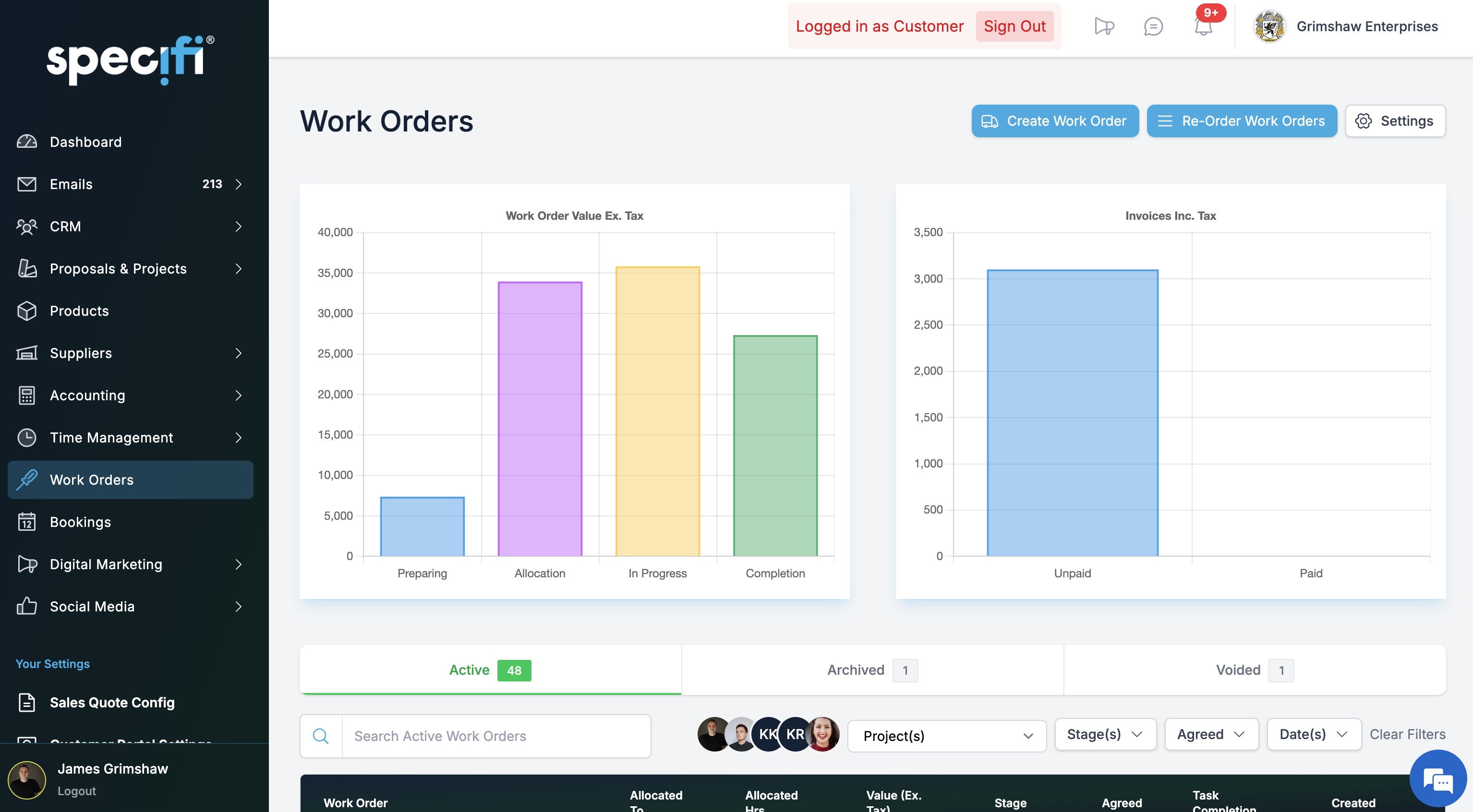
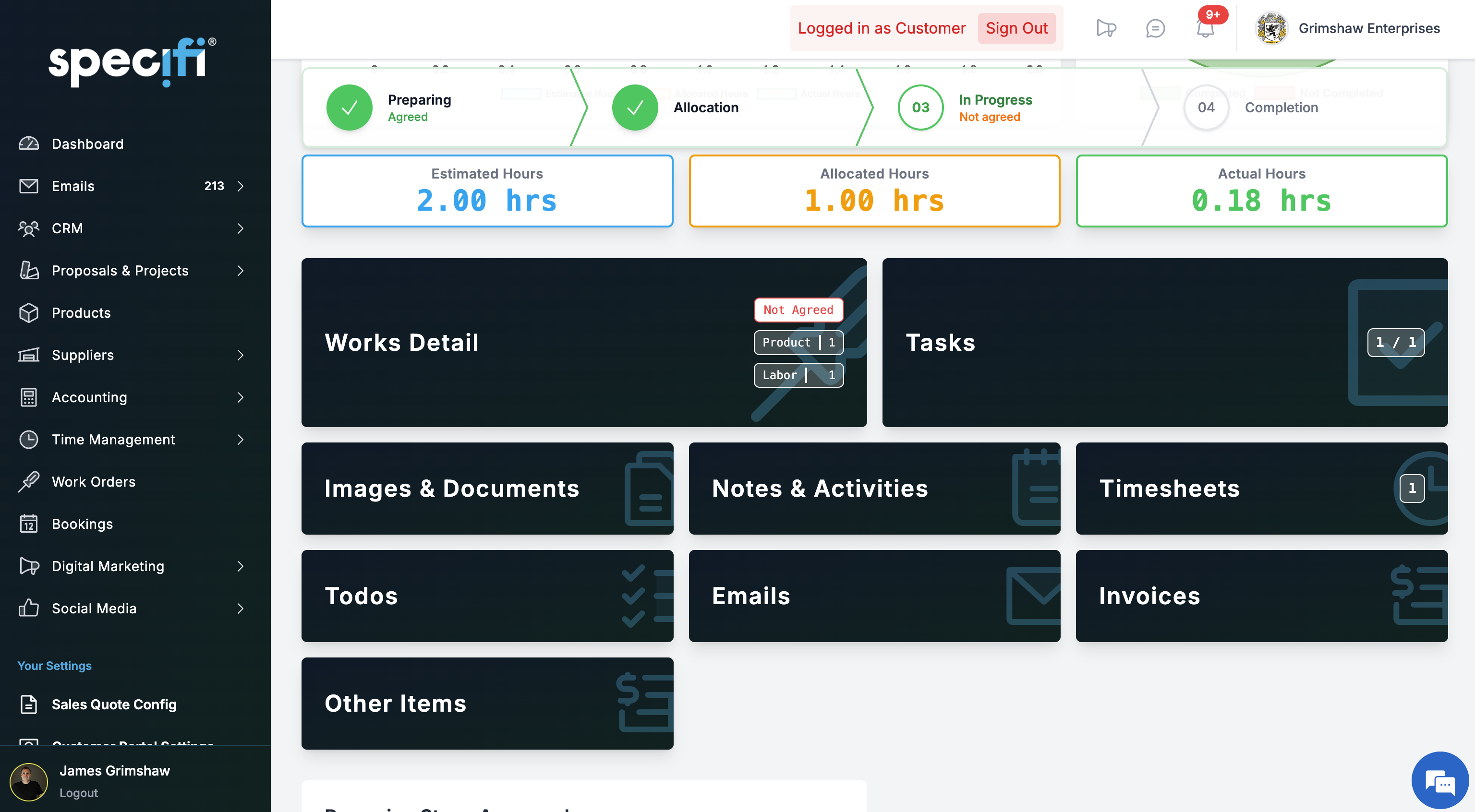
Specifi Work Orders overview dashboard. The office's view of every active job by stage: preparing, allocated, in progress, complete, signed off.

The day's work.
In one tap.

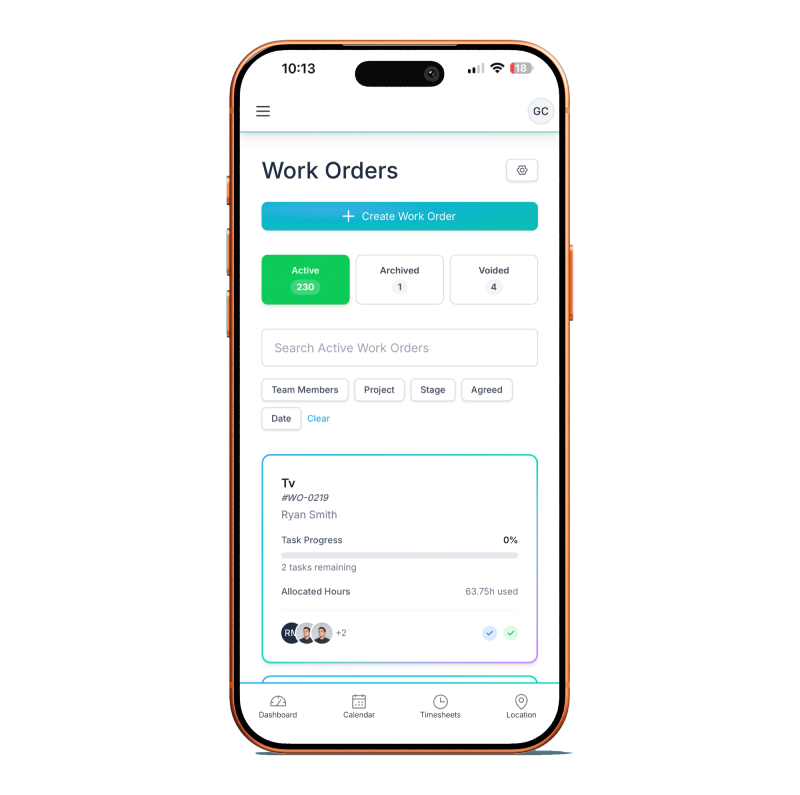
Native iOS and Android, distributed through the App Store and Google Play. The technician opens the app once at the start of the day, taps a job, and sees the full pack: site address, parts pick list, schematics, client notes, safety requirements. GPS-confirmed clock-in. Time logs against the project automatically. Bob the AI rides along in their pocket. No per-seat field-tech fee.

  • The day's assigned work orders, ordered by travel window between sites
  • One-tap full job pack: site address, pick list, schematics, notes, safety requirements
  • GPS-confirmed clock-in and clock-out (with consent), time logs against the project automatically
  • Multi-job day support, breaks, corrections (full audit trail)
  • Before-and-after photos against the line items they belong to
  • On-site customer e-signature, captured on-device at completion
  • Change-request from the field, surfaces on the project dashboard immediately
  • Bob the AI accessible from inside the field app (project queries, work-order updates, voice prompts from the van)
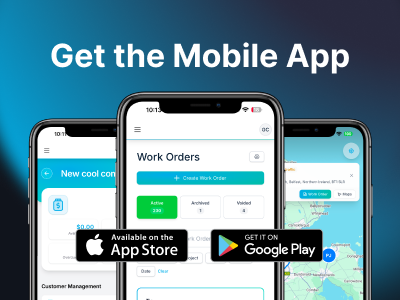
Specifi mobile app on iOS and Android. The day's assigned work orders, full job pack on tap, GPS clock-in, and Bob the AI in the technician's pocket

Dispatched.Tracked live.Signed off.

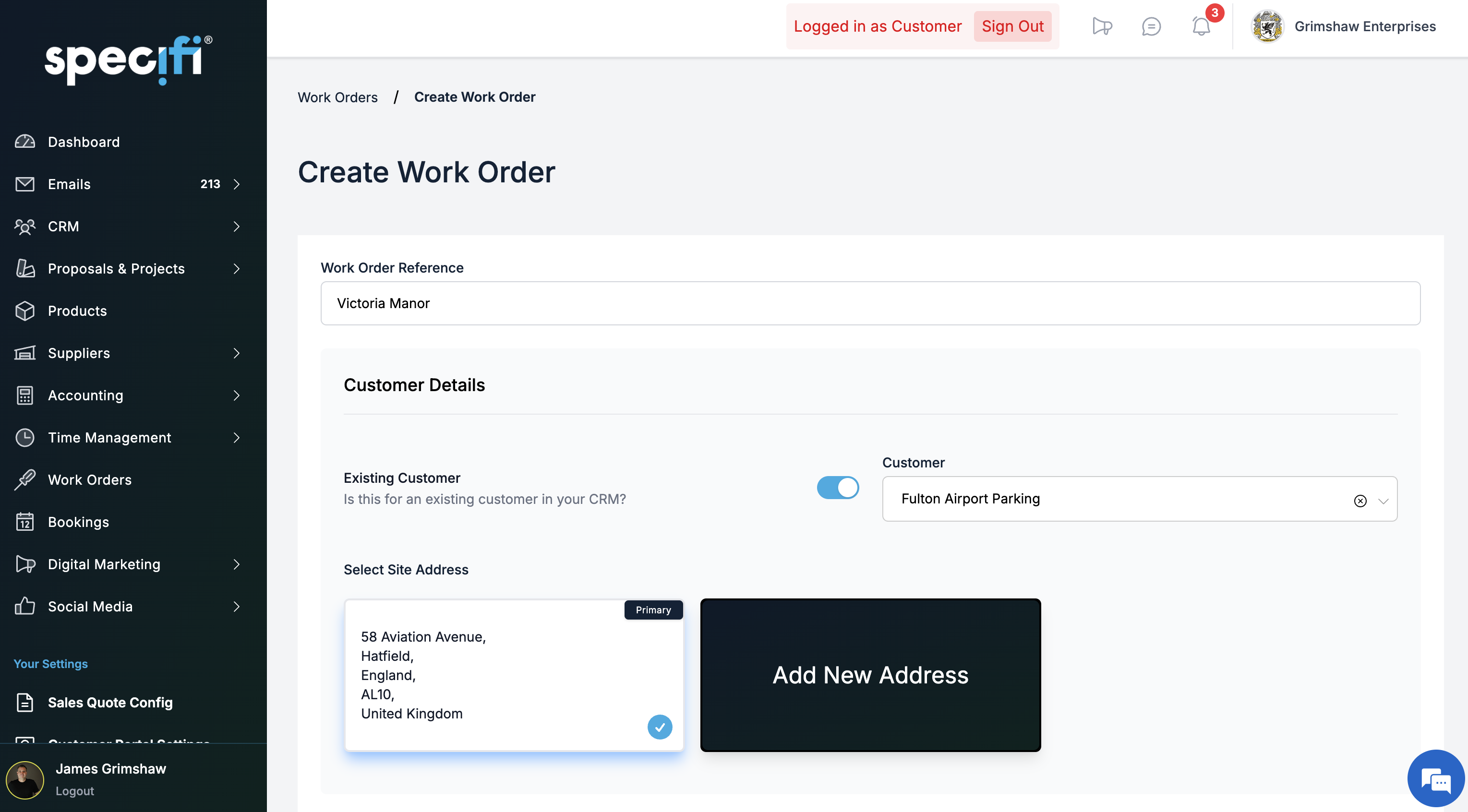
Create from anywhere

Generate work orders from a signed proposal, a project, a service booking, or a service-only customer record. Single-job or bulk across a 40-room commercial fit-out. Site address, pick list, schematics, scheduled window, and any attached docs all carry forward. No re-keying.

Dispatch calendar

Every technician, every scheduled work order, every booked travel window, on the same calendar. Drag jobs between people and between days. Conflicts (double-booking, excessive travel, skills mismatch on specialist labour) flag automatically before the customer ever sees them.

Native iOS + Android field app

Native, not a responsive web wrapper. The technician opens the day's work orders, taps one, and sees the full job pack: site address, parts pick list, schematics, client notes, safety requirements. GPS-confirmed clock-in (with consent). Time logs against the project automatically. Multi-job days, breaks, corrections (audit trail). Bob the AI rides along in the technician's pocket. App Store and Google Play. No per-seat field-tech fee.

Live status board

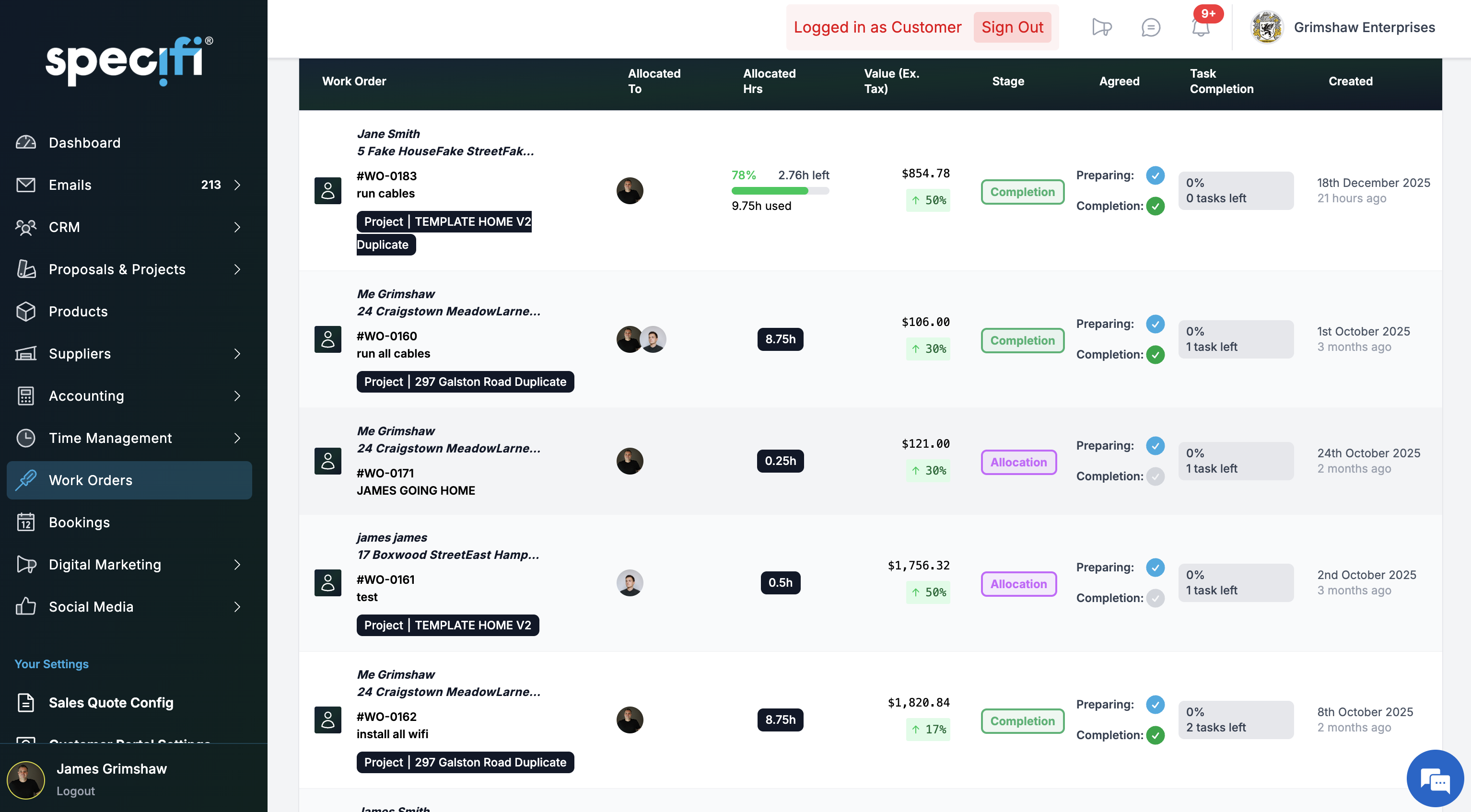
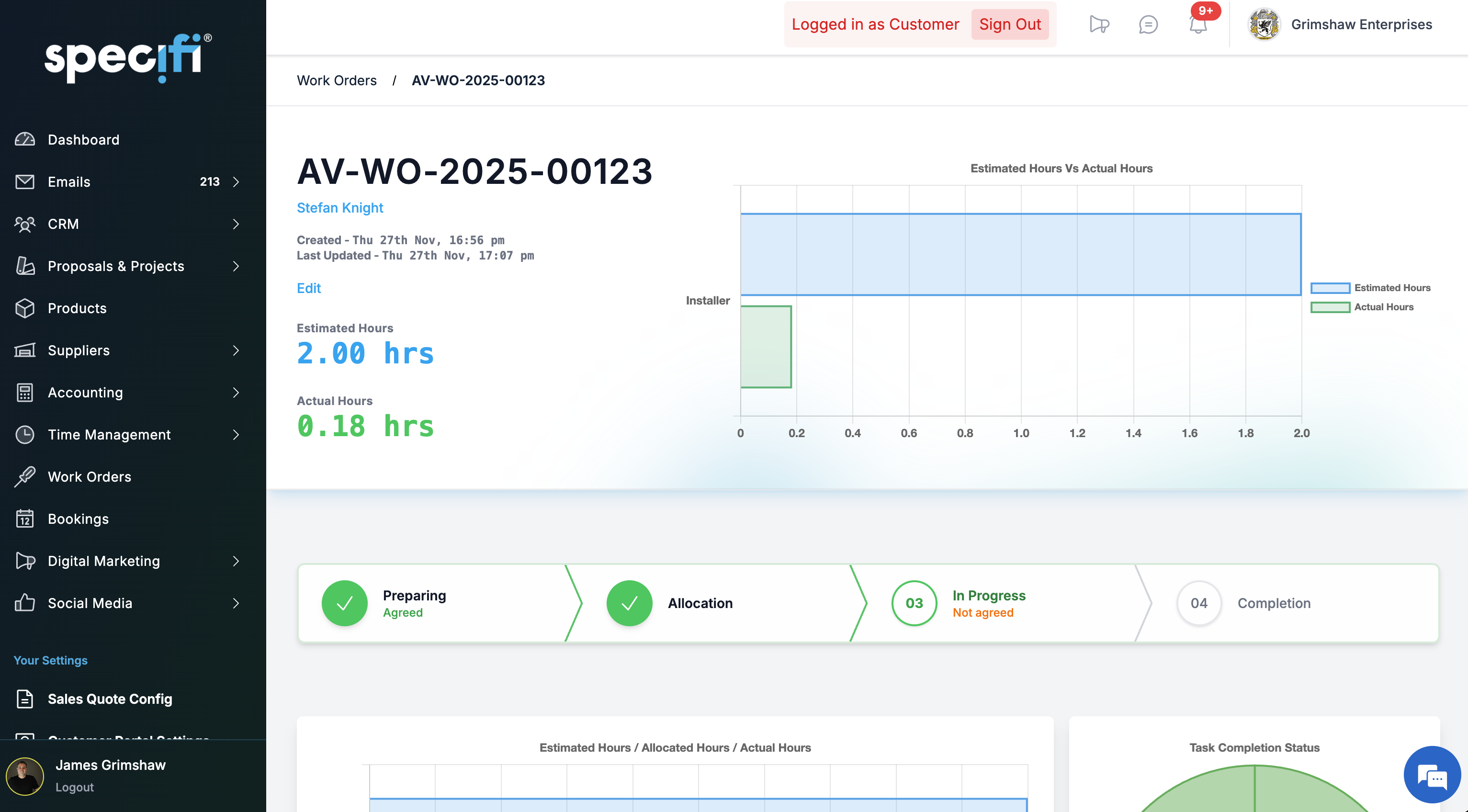
Office sees live status as the crews update in the field. Configurable stages from preparing to signed off. Or just ask Bob the AI in plain English: "Show me today's work orders", "Who is overdue and how much", "Forward view: what's scheduled for the next fourteen days".

On-site sign-off

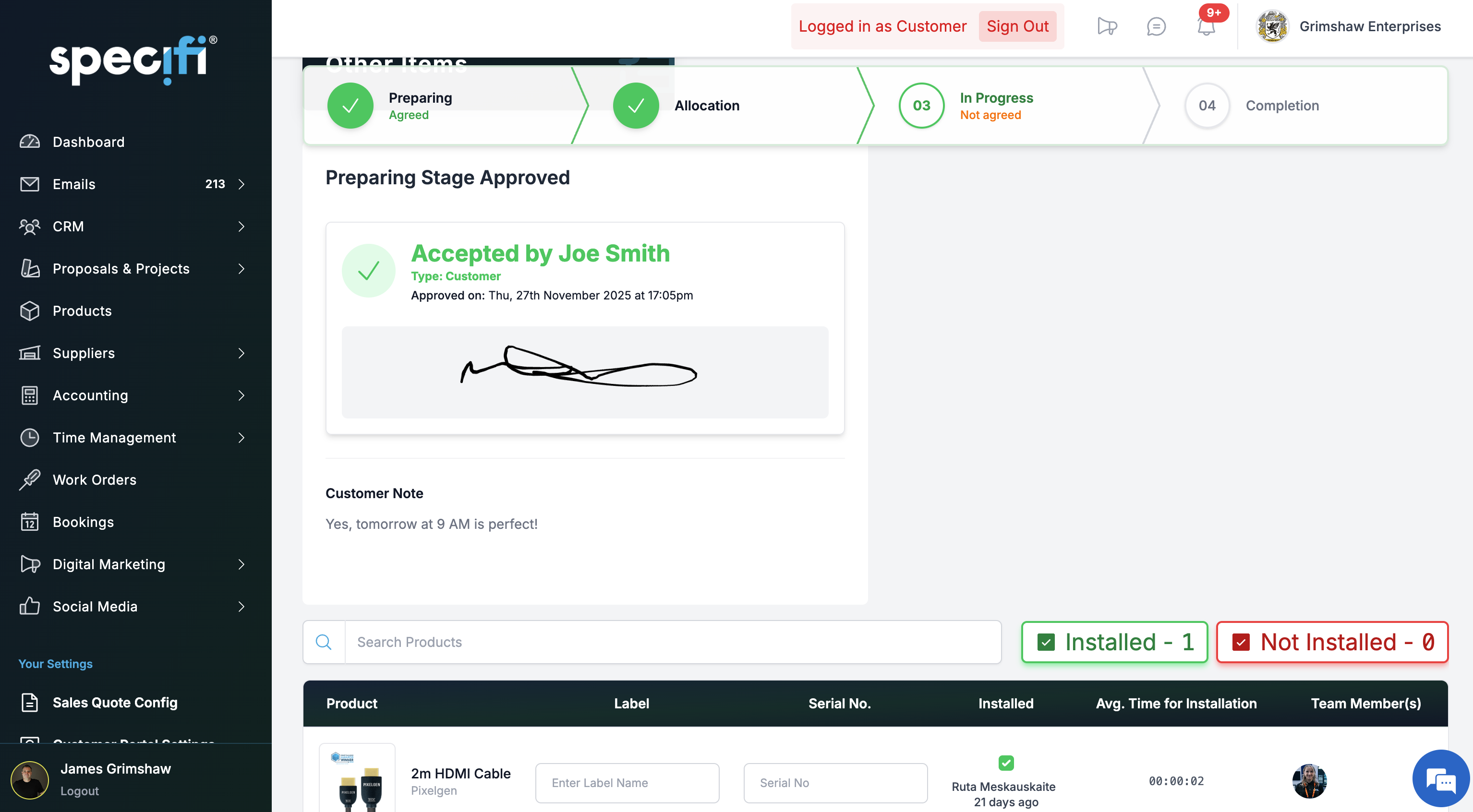
Customer e-signature captured on the technician's device at completion. Before-and-after photos attach to the line items they belong to. Change requests raised against the work order from the field. The signed sheet uploads to the project record and surfaces in the client portal.

Sign-off to invoice

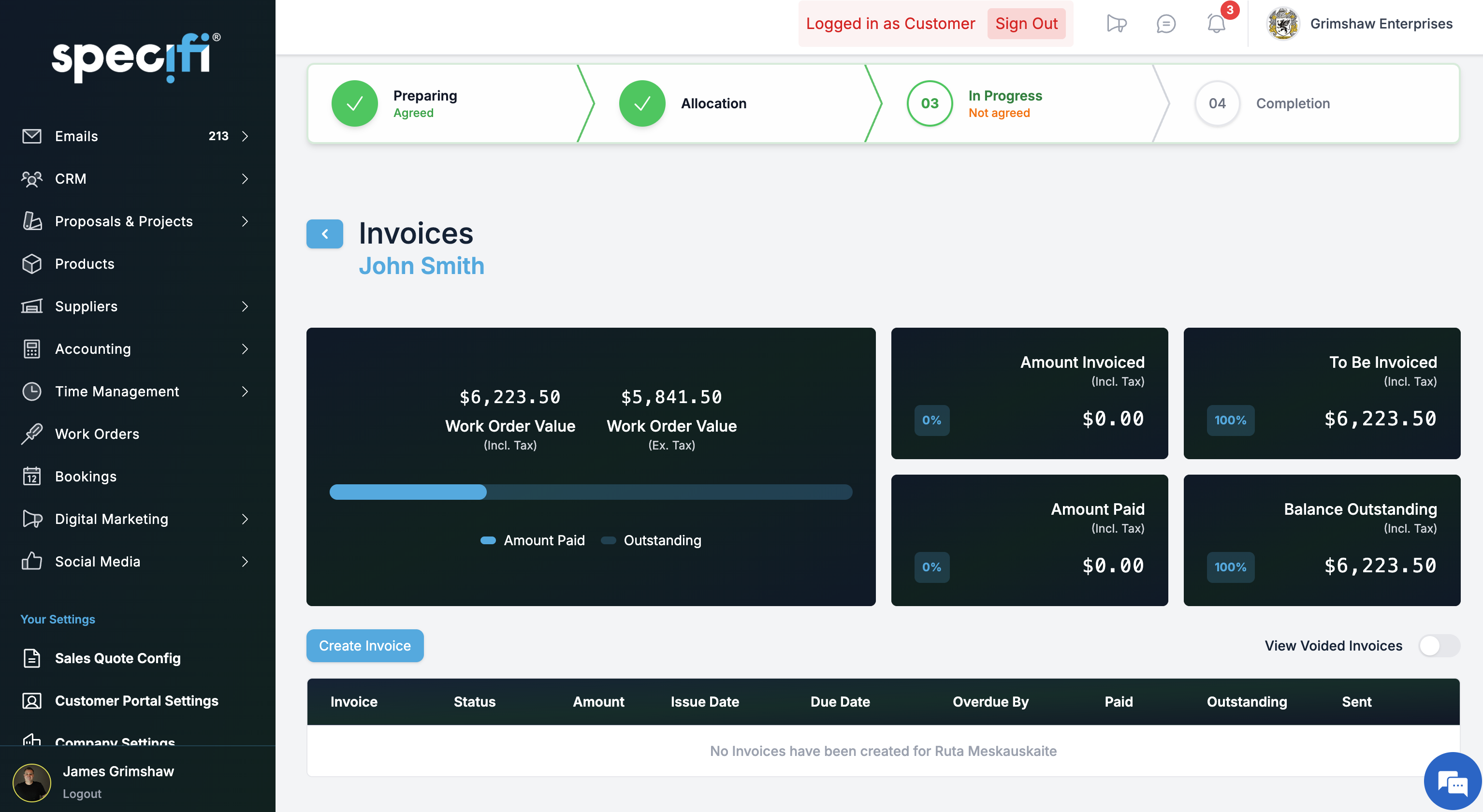
A signed-off work order generates the invoice in one click. Labour, materials, and travel pre-populate at the agreed rates. The client pays through the same Stripe surface that collected the proposal deposit. Cash moves the same afternoon the install ends, not the week after.

Why integratorsmake the switch.

No calls to the office

Field crews open the mobile app and see the day's work orders, the parts pick list, the site instructions, and any attached schematics. The office sees live status, GPS clock-in, and progress without lifting the phone. The radio silence is the point.

The whole team in one view

Every technician, every work order, every travel window, on the same dispatch calendar. Reschedule a job, the technician's day re-flows. Flag a double-booking, the conflict surfaces before the customer ever sees it. Or just ask Bob the AI: "who is overdue this week".

Signed off to paid in days

A signed-off work order pulls labour, materials, and travel into a draft invoice in one click. The client pays through the same Stripe surface that collected the deposit. Cash moves the day the install ends, not the week after, not the month after.

Commonquestions

Contact us
How does a work order get created?

When a proposal is signed, the project it spins up carries a labour schedule inherited from the proposal's labour lines. From the project view you generate work orders in one click, either individually or in bulk across the project's phases. Each work order carries the site address, the scheduled date and window, the technician assignment, the parts pick list, the instructions, and any attached documents (schematics, risk assessments, client-portal access instructions). Work orders can also be created ad-hoc for service calls that do not originate from a proposal.

Can I schedule technicians and see their availability?

Yes. The dispatch calendar shows every technician, their scheduled work orders, travel windows between sites, and their availability against the rolling work-order backlog. You can drag work orders between technicians and between days; conflicts (double-booking, excessive travel, skills mismatch on specialist labour) flag automatically. The calendar views run day, week, and month; time-off and service-call blocks sit alongside project work so you can see the true picture of the team's week, not just the project schedule.

Does it include time tracking?

Yes. Time tracking is included on every plan and runs from the field app. A technician clocks in at the job (the app captures GPS confirmation of arrival, with consent), works against the work order, clocks out, and the time logs against the project automatically. Breaks are supported, multi-job days are supported, and corrections are supported with an audit trail. Time entries feed the payroll export for Individual and Team tier; Company tier includes direct integration to major payroll providers. There is no separate time-tracking licence or per-seat field-tech fee.

Is there a per-seat fee for field technicians?

No. Specifi's pricing includes field-user seats in the base tier. Individual gives you 2 field users at $149 / month. Team gives 5 at $349. Company gives 10 at $699. Above those thresholds you can add additional seats: $15 per month for field users and $135 per month for office users. We do not hide a "required field add-on" in the small print, and there is no separate per-technician licence to upgrade to.

How do technicians use the app in the field?

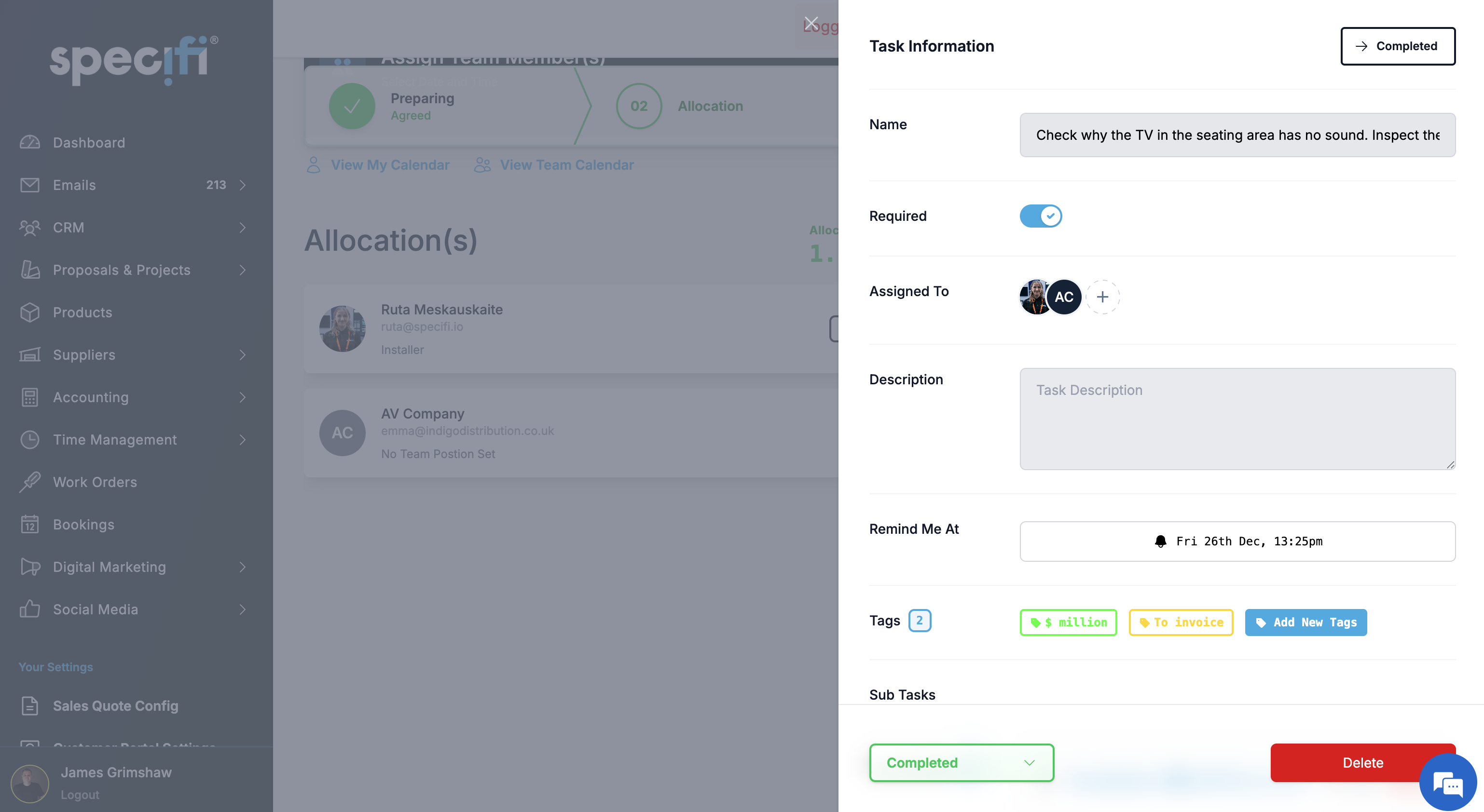
iOS and Android apps, designed for field use rather than a cut-down browser view. The technician opens the day's work orders, taps one, and sees the job pack: site address, parts pick list, schematics, client notes, safety requirements, and a check list of tasks to complete. They clock in, work through the check list, capture before-and-after photos tied to the task, note any material overrun or change request, get client e-signature at completion, and sync back to the office. The app is cloud-connected; plan field connectivity accordingly.

Can a client sign off on a completed work order on site?

Yes. The field app generates a work-order sign-off sheet at completion showing what was agreed, what was delivered, any variances, and a signature block. The client signs in-app on the technician's device; the signed sheet uploads to the project record and appears in the client portal. If you run a service-only business, this is the same workflow for a callout: arrive, work, sign-off, invoice. There is no separate "service module" to buy for this.

What happens when the technician finds something unexpected on site?

The field app supports raising a change request against the work order. The technician notes what changed, attaches photos, and the office sees the change on the project dashboard immediately. If the change triggers a price or schedule revision, you generate a change order back to the client in the normal proposal flow; the client signs, the project budget updates, and the work order picks up the revised instructions. The audit trail preserves the original plan, the field evidence, and the client's approval in one place.

Does it handle recurring service contracts?

Not as a native recurring-job engine yet. Today the workflow is to create a service-only project for the customer, generate work orders against it whenever a service visit is needed, and bill each visit individually. Customers with a service-contract relationship typically operate this way: the project lives on the customer record indefinitely, work orders generate ad hoc when a fault is reported or a maintenance window is due, the rate card you set on the customer record applies, and the audit trail accumulates against the project the same way it does for proposal-originated work.

A native recurring-contract surface (auto-generate scheduled visits monthly or quarterly, contract-pricing terms held against the customer, contract renewal reminders, contract-revenue forecasting) is on the roadmap.

Can Bob the AI help with work orders?

Yes, today. Bob the AI queries the live work-order data in plain English: "Show me today's work orders", "Who is overdue and how much", "Which jobs slipped this week", "Forward view: what's scheduled for the next fourteen days", "Flag any double-bookings". Bob pulls the answer straight from the live calendar and dispatch board, no export, no static report to build.

From 1 June 2026, Bob also creates work orders, allocates team members to work orders, updates work-order stages, and adds products to a work order from the catalog with your one-tap approval. Nothing lands silently: the same on-screen approval card pattern that covers the rest of Bob's write surface (proposal drafts, follow-up emails, invoices) covers every work-order action. Included on every Specifi plan, no AI surcharge, no per-prompt token cost.

Can I bulk-generate work orders across a large project?

Yes. A commercial fit-out with 40 rooms can generate one work order per room, one work order per phase, or any cut between. The bulk-generation UI lets you group by product category, labour type, location, or phase. Each generated work order inherits the project's defaults (labour type, client, site address, linked proposal) so the admin step is minutes, not an afternoon. Work orders stay linked to their parent project so progress roll-ups are automatic.

How does this connect to invoicing?

Completed work orders can be drawn into an invoice with one click. You pick the scope to bill (milestone, time-and-materials, full project completion), the invoice pre-populates with the work orders' labour and materials at the agreed rates, and the client portal surfaces it for payment. Stripe-integrated deposits and balances collect in the same flow as proposal deposits. Invoices sync to QuickBooks Online or Xero automatically; no double entry.

Can I run work orders on a job that did not start as a Specifi proposal?

Yes. Not every job begins with a proposal, especially service calls and small reactive work. You can create a project directly, attach a client record, and generate work orders against it without a proposal at the origin. Pricing comes from your rate card (configurable per client where you hold special rates), and invoicing flows the same way as for proposal-originated projects. For service-heavy businesses, this is the primary workflow.

What reporting is available on work orders?

Reporting on work orders today covers the operational essentials. How many work orders sit in each stage right now (preparing, allocated, in progress, complete, signed off). Today's dispatched jobs by technician. This week's scheduled load by location. Time-vs-budget per project across the active work-order set. The deeper analytical cuts (technician utilisation by month, average time-to-completion by job type, materials-overrun by supplier, first-time-fix rate, callback rate against signed-off work) ship in the more detailed reporting view in Q3.

In the meantime, and even after Q3 for the ad-hoc cuts that don't fit a template, you ask Bob the AI in plain English: "Who's overdue today?", "Show me work orders that took more than 8 hours longer than estimated this month", "Which technician closed the most jobs last week?". Bob queries the live work-order data and answers in seconds, no report to build first.

They switched. Theyhaven't looked back.

500+Used by integrators globally
Specifi is an amazing software that literally runs our business operations. From initial proposals, sales and CRM to team and project management, invoicing & generating purchase orders. I would definitely recommend Specifi to anyone running a small to medium size audio visual or electrical company that wants a simple to use software that gets the business organised and looking super professional.
James BrownThe Cinema Company

Ready to see it?

30-minute demo. No slides. No fluff.

Explore pricing