

There is a pattern in vertical SaaS that I want to talk about. The product ships as a desktop tool. It does well. Two years later, someone notices the field team also needs to use it. They commission a mobile app, which is mostly the desktop UI shrunk down to 380 pixels. The buttons are too small. The forms have nine fields. The whole thing assumes signal. The technicians stop using it within a month, and the office team is back to copy-pasting WhatsApp screenshots into the project record. I have watched it happen at three different employers before Specifi.
The Specifi mobile app was not built that way. We built the field surface first, with a deliberate constraint: no feature ships unless it works one-handed, with one bar of signal, for a tech who is already late for the next site. I lead the engineering team that owns it. Here is what that constraint actually changes.
The four scenarios we design against
Every screen in the mobile app passes through four field scenarios before it ships. If it fails one of them, we send it back. This list is the closest thing we have to a product spec.
- In the van, no signal yet. The tech is leaving the office to drive to the first site of the day. They open the app, the day's work orders and route are already cached on device. They can mark a task started, log a note, photograph a delivery, all without signal. The queue syncs the moment they hit a 4G area.
- On site, one bar of signal. They are inside a rough concrete building wiring a rack room. The upload of a 4K photo cannot block the next action. We compress on device, send the small version first, and back-fill the full resolution overnight on Wi-Fi.
- On a ladder, hands full. Voice notes go straight onto the project record. The tech does not need to type the project name, the app already knows which job they are on from the schedule.
- Outside in the rain. The font scale and tap targets are sized for wet thumbs and bright daylight. Status colours are tested on Pixel 4a screens in direct sun. Yes, that is a real test in our QA suite.
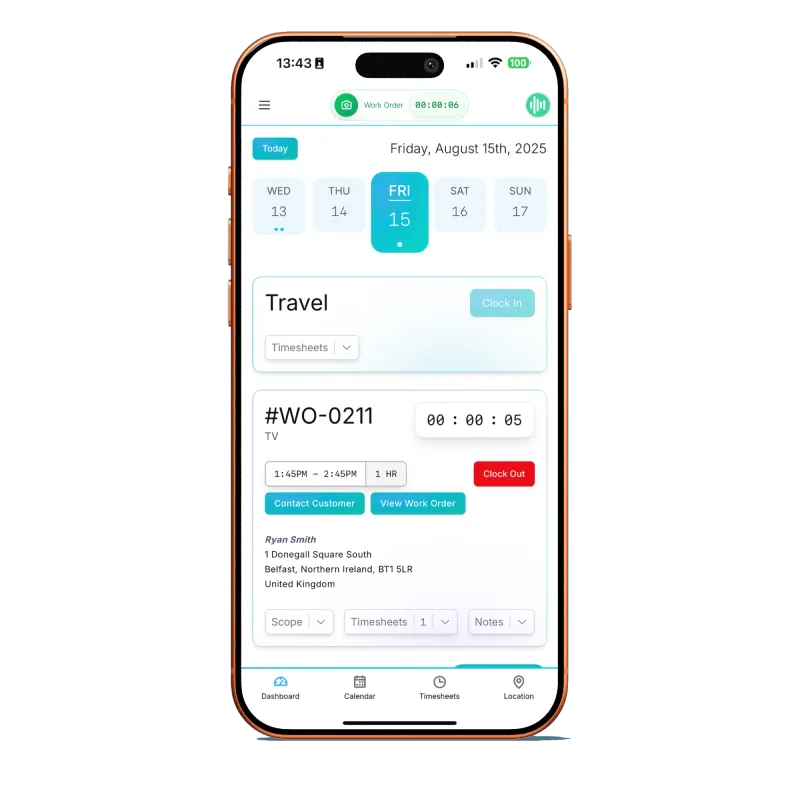
What we deliberately do not do on mobile
Field-first means we also choose what NOT to build. The mobile app does not let you write a 30-page proposal. It does not have the full CRM pipeline view. It does not show you margin reporting. Those surfaces belong on a 27-inch monitor at 11 AM on a Tuesday, not on a phone in a loft. Trying to be everything everywhere is how the desktop-first apps fail.
The offline-first part
Most apps treat offline as an error state. We treat offline as the default. Every action the tech takes (clock on, complete a task, log a note, upload a photo) is written to a local queue first and reconciled to the server when signal returns. We use a conflict resolution rule that errs on the side of the field record (because the field person is the one with the actual eyes on the install) and surfaces any disagreement to the project manager rather than silently overwriting.
Offline is not an error state. It is Tuesday in a basement rack room. If the app cannot handle that, it does not get to call itself field software.
Sudin
What is next
The roadmap is short. We are working on offline-first dispatch (the foreman re-routing the day from the van without signal), and an augmented-reality cable-pull check that uses the camera to estimate a run. The order of those is driven by what the knowledge base tells us actually slows integrators down in the field.
If you want to see the app in your hand, book a demo and we will walk you through it. If field-first is not what you need (maybe your team is 100 percent office-based for now), we will say so.