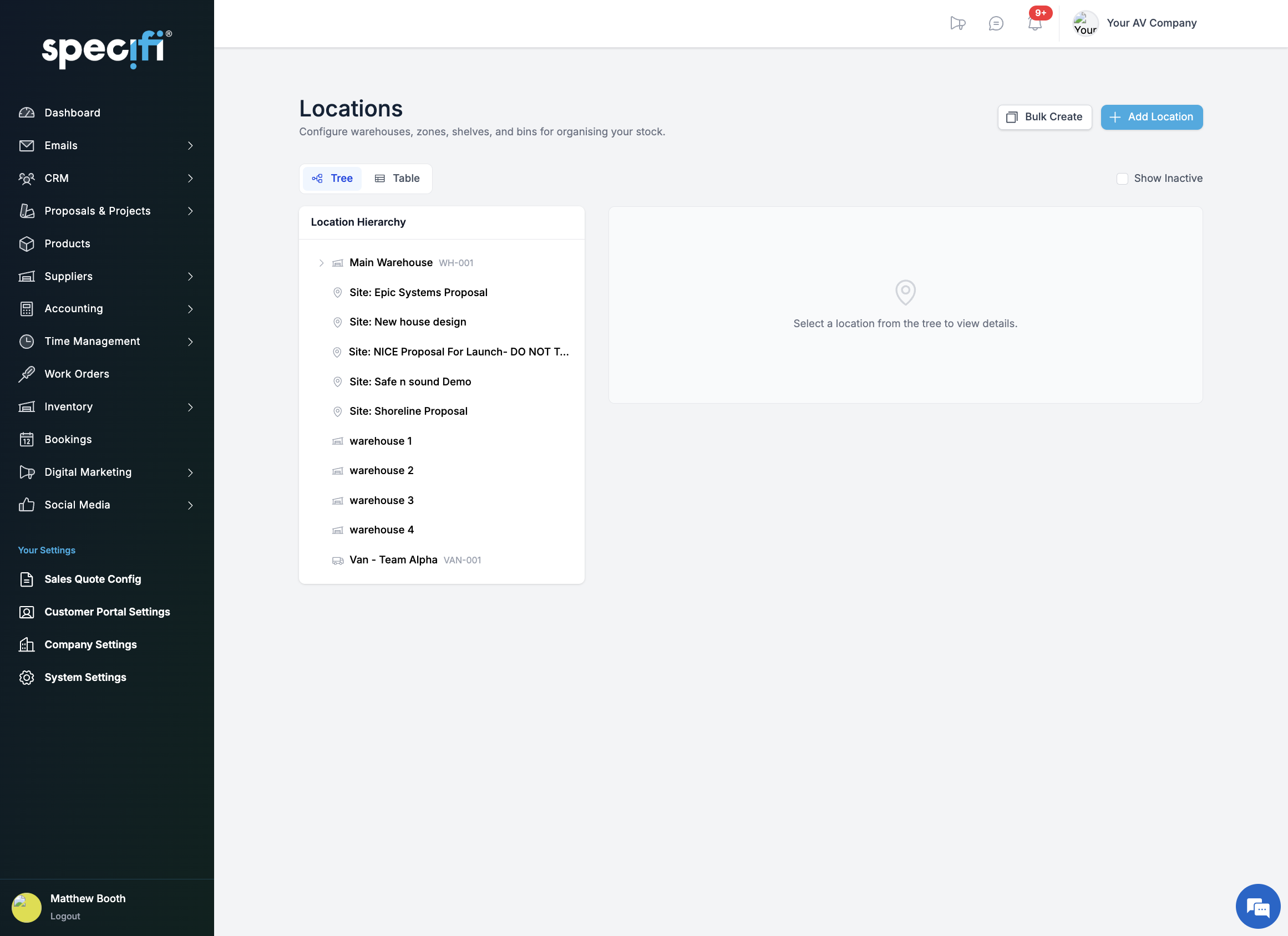
// locationsWarehouses, vans, and sites. One view.
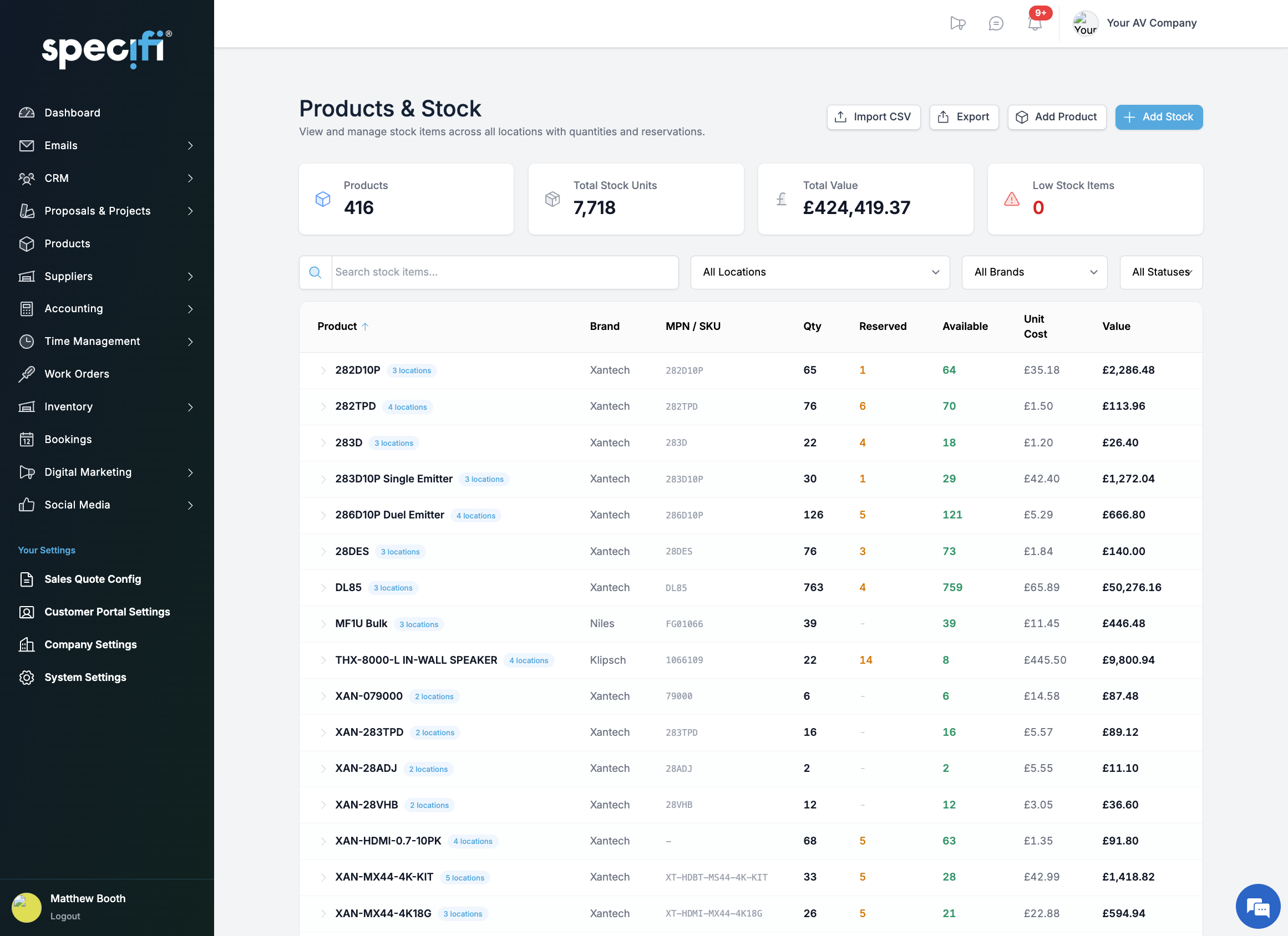
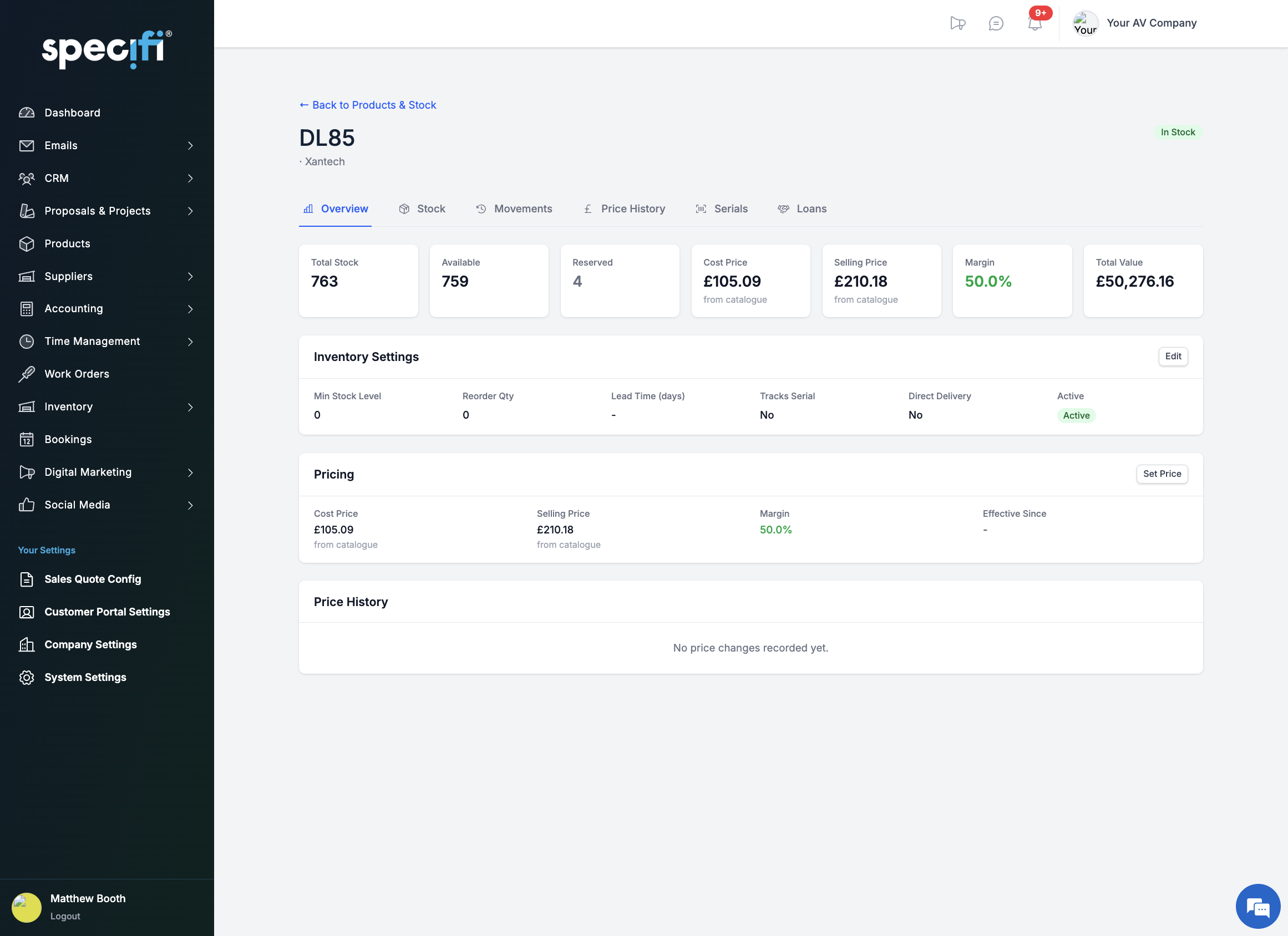
Hierarchical locations let you model your real world: warehouses with zones, aisles, and shelves. Vans with their own stock. Project sites holding allocated equipment. See stock counts, reserved quantities, available units, and total value per location. Bulk-create shelving ranges and transfer between any two locations with full audit trail.
01 / 11
// smart procurementOne click from project to warehouse.
Auto-Optimise looks at your project line items, checks what is in stock, reserves what is available, creates pick lists for what is ready, and drafts purchase orders for what is missing. One click. All four actions. Every line gets a pipeline badge so you can see exactly where each item stands: available, reserved, draft PO, awaiting delivery, picked, or installed.
02 / 11
// receivingCatch variances the moment they happen.
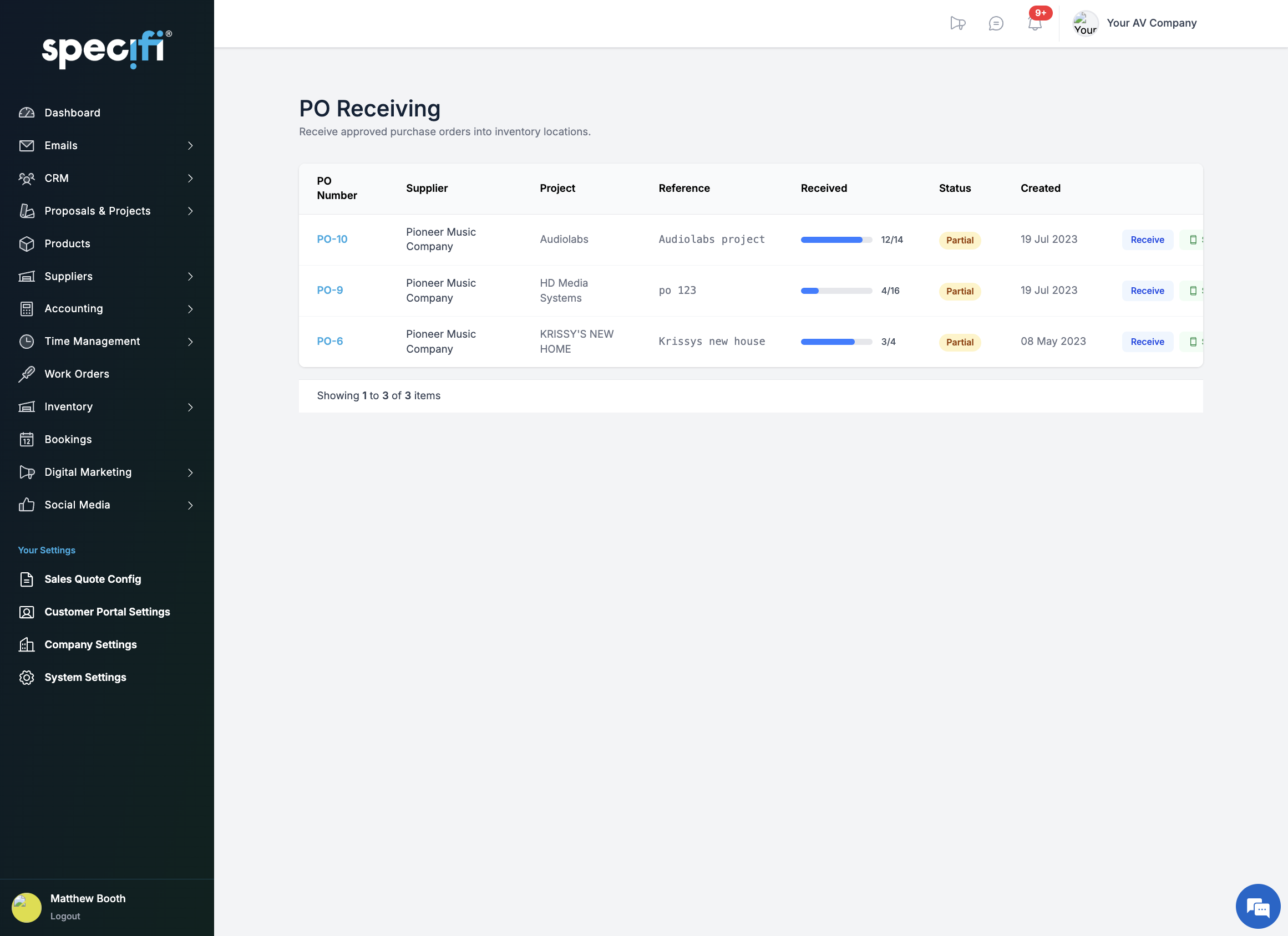
Receive against approved purchase orders on desktop or mobile. Line-by-line confirmation with match, zero, and variance tracking. Capture serial numbers during receiving when products require it. Partial receipts are supported: save progress and come back. Variance reasons are logged for every discrepancy so nothing falls through the cracks.
03 / 11
// picking + dispatchPick. Dispatch. Deliver. Prove it.
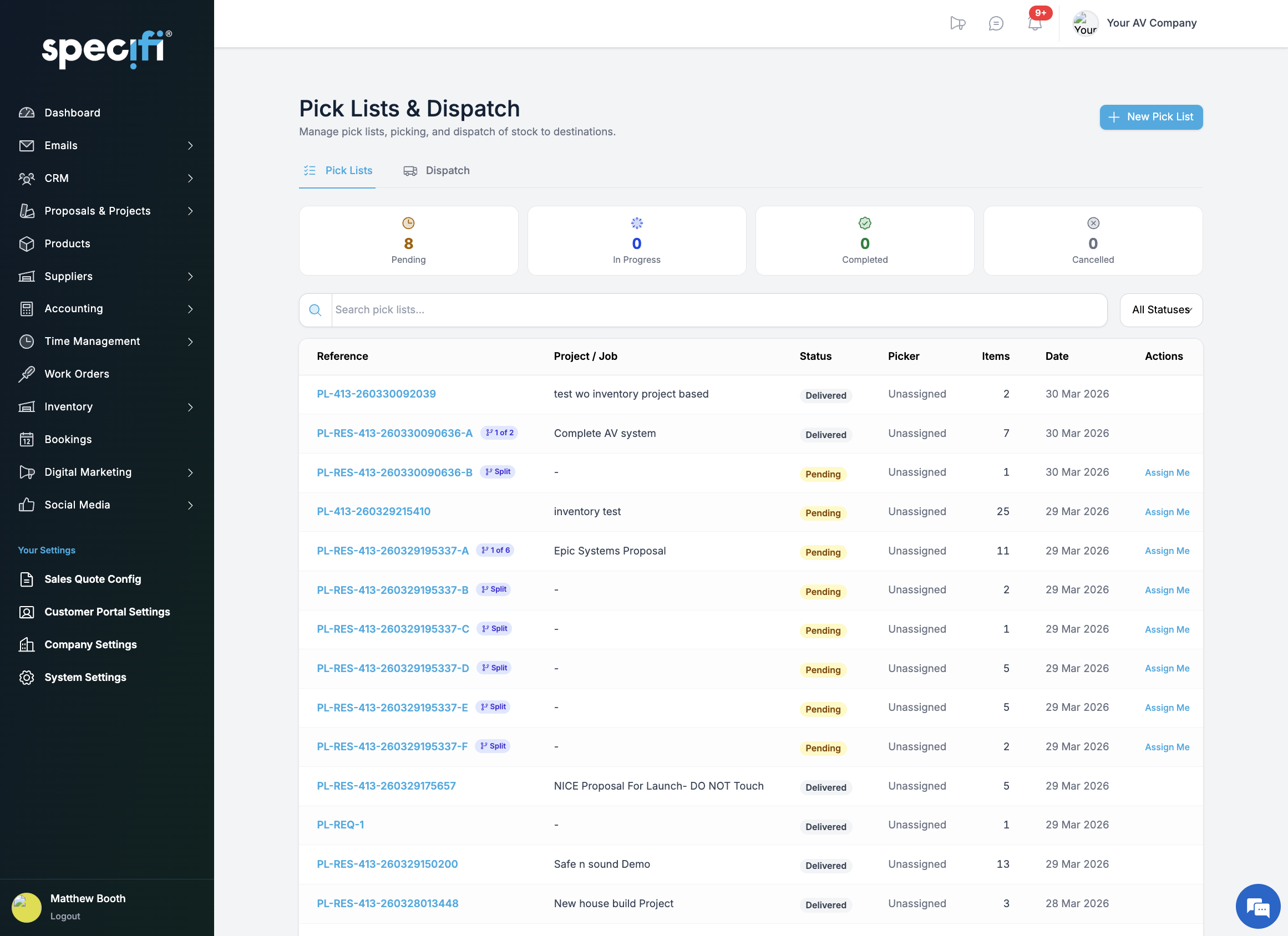
Pick lists group items by location for efficient warehouse picking. Scan or type serial numbers during the pick. Mark items as dispatched via courier, van, or collect, with carrier and tracking details. Proof of delivery captures condition, recipient name, signature, and up to five photos. The full chain from reservation to installation is auditable end to end.
04 / 11
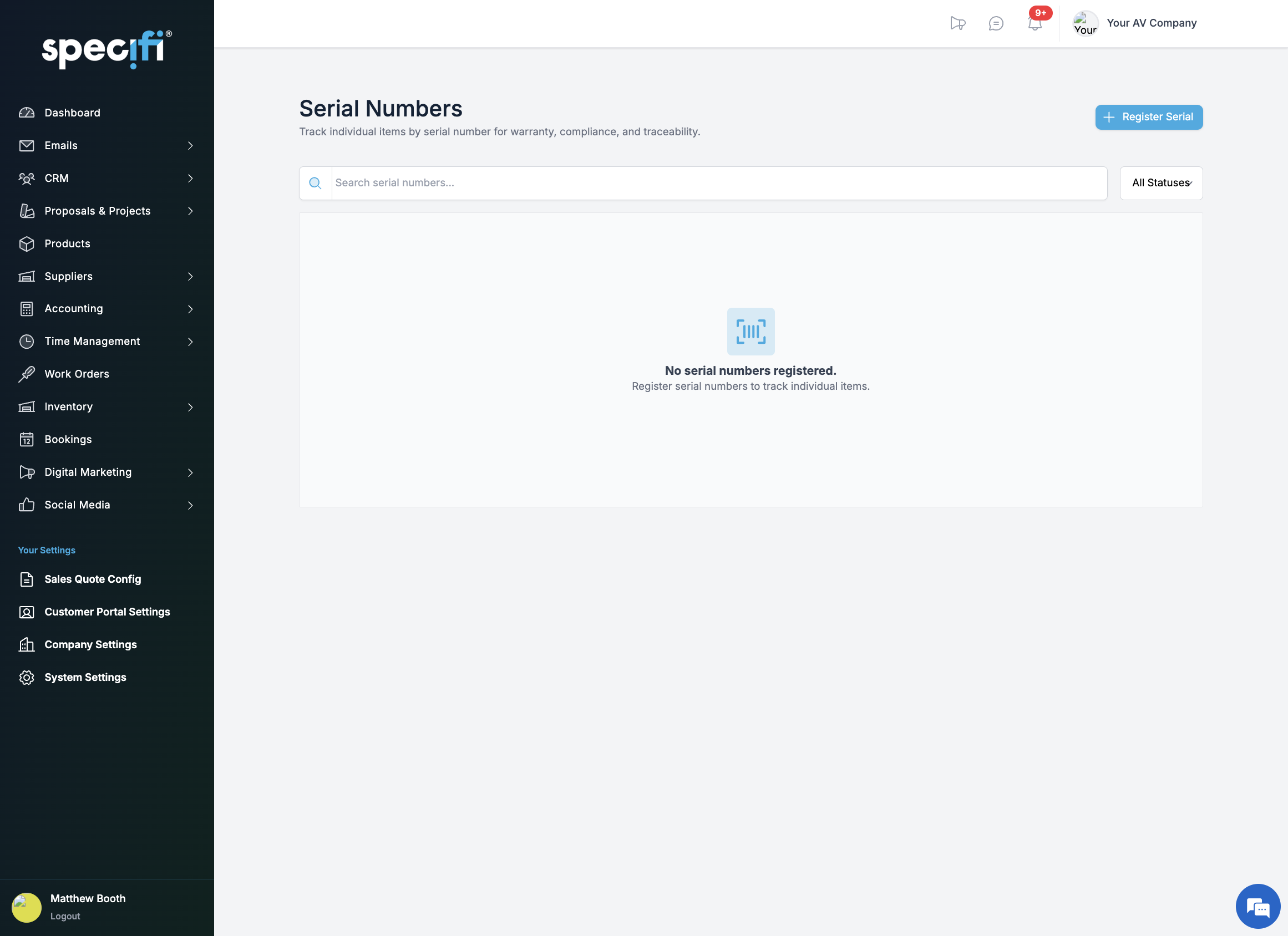
// serial trackingEvery unit. Every serial. Every movement.
Track individual units from receipt through installation. Serial numbers are captured at every touchpoint: receiving, picking, stocktakes, and returns. Full lifecycle history per serial including warranty expiry, location changes, and service records. Statuses cover available, in use, defective, returned, and scrapped.
05 / 11
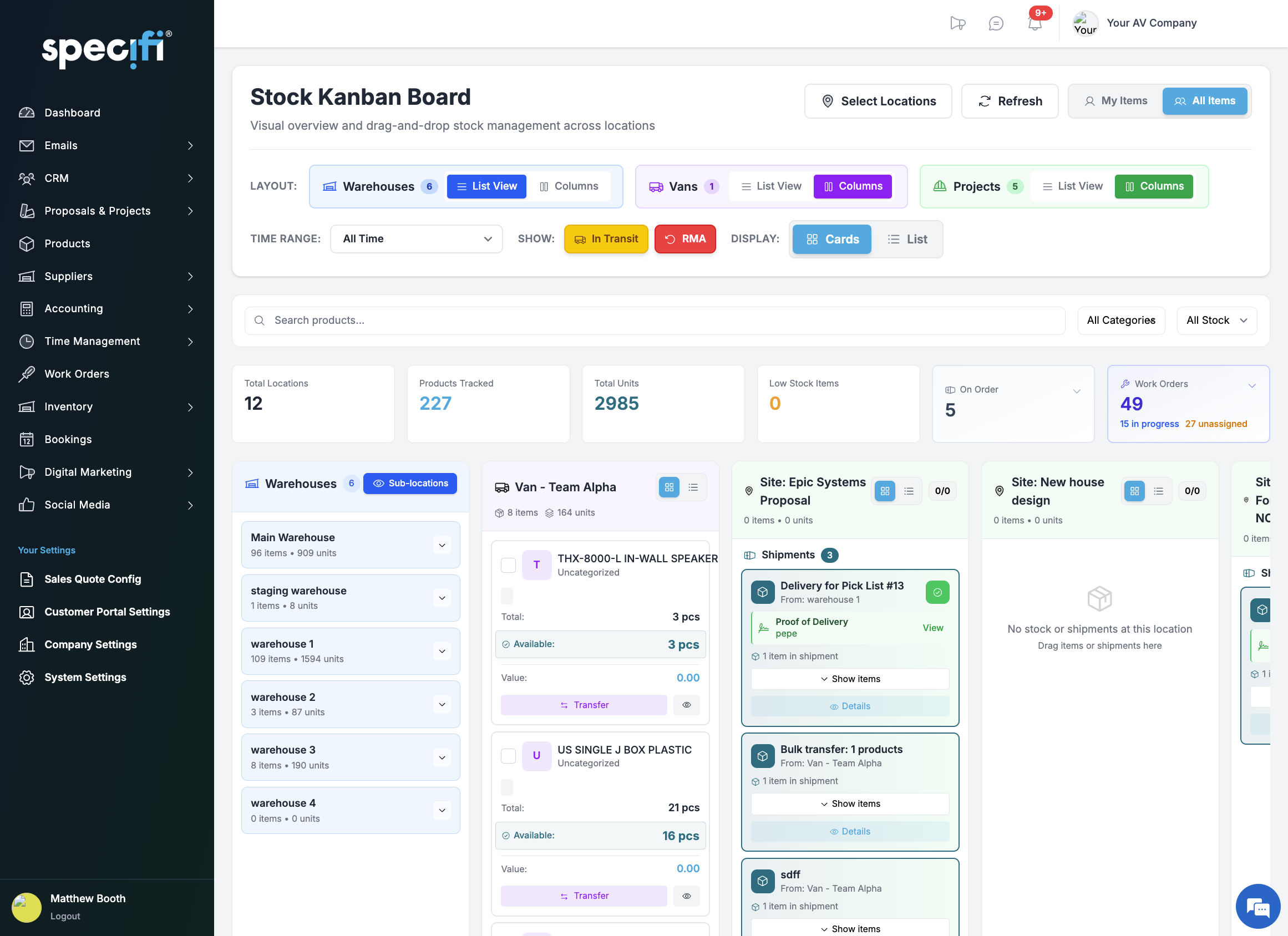
// kanban boardDrag. Drop. Transfer.
Visualise stock across warehouses, vans, project sites, and in-transit on a Kanban board. Drag items between columns to initiate transfers. Bulk-select and move. Filter by project, work order, or RMA status. Premium columns show upcoming project requirements and on-order POs so you can see demand alongside supply at a glance.
06 / 11
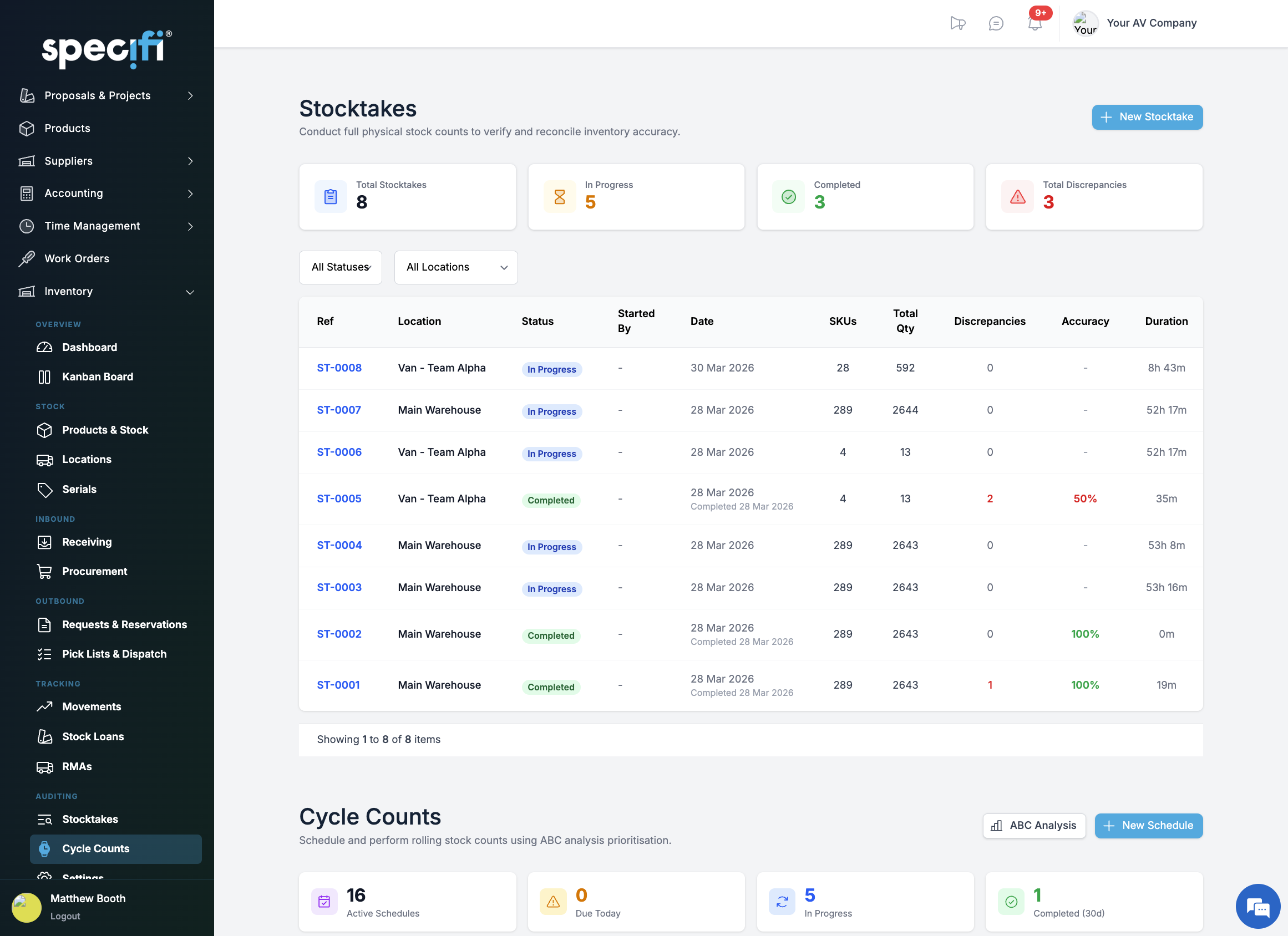
// stocktakes + cycle countsAccuracy without the all-nighter.
Run a full stocktake per location with a guided counting session. Variances are highlighted, reasons logged, and adjustments applied on completion. For ongoing accuracy, set up ABC cycle counts. Simple mode splits stock evenly across a four-week rotation. Smart mode prioritises high-value and high-movement items. Schedules track next count dates and flag overdue counts automatically.
07 / 11
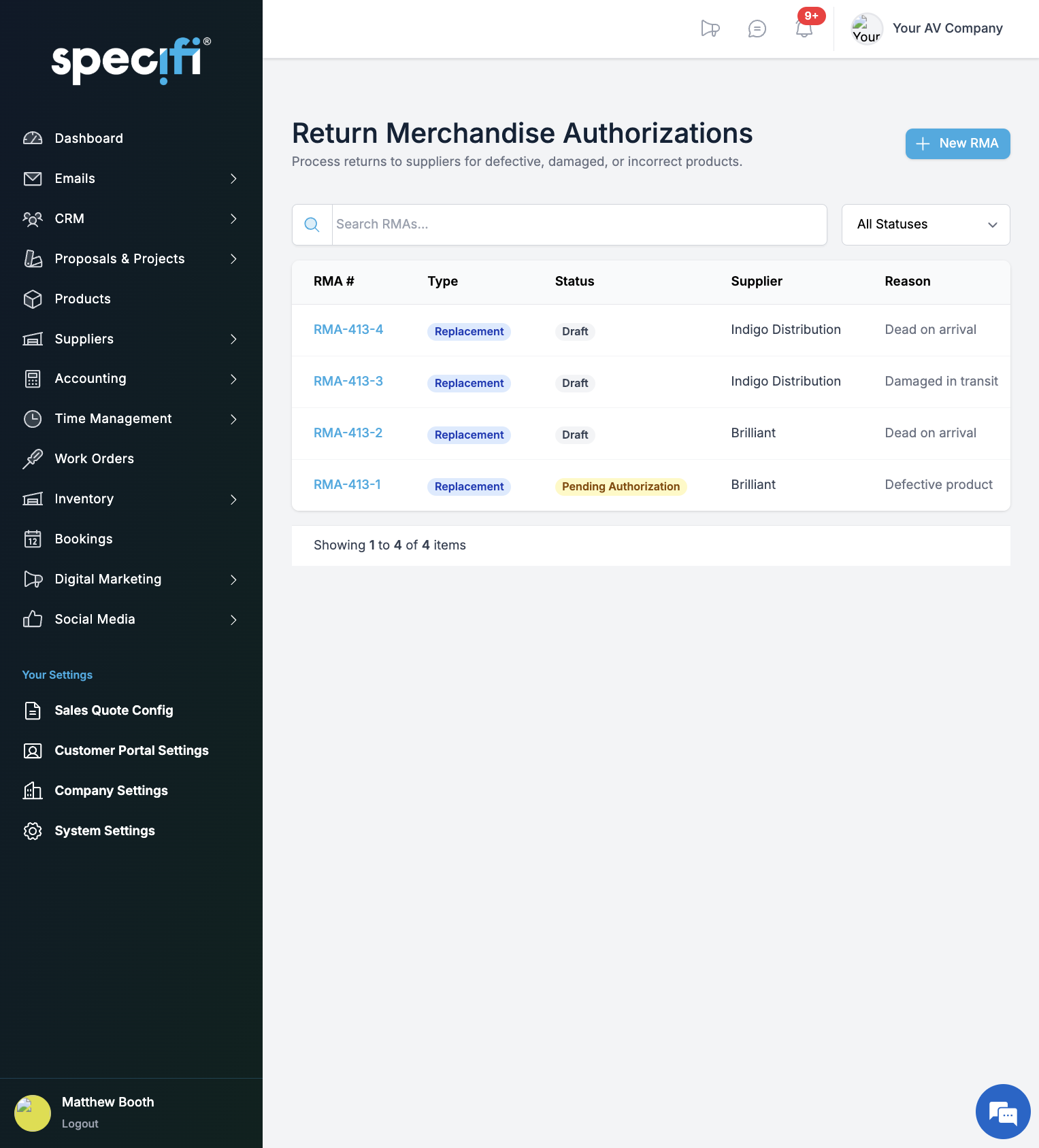
// returns (rma)Returns managed. Not forgotten.
Create RMAs with condition tracking (defective, damaged, wrong item, DOA), fault descriptions, and serial numbers. The full workflow runs from draft through authorisation, shipping, resolution, and completion. Resolve with refund, replacement, or credit note. Upload documents, email suppliers directly, and track status history. Nothing sits in a box waiting for someone to remember.
08 / 11
// stock loansLoan between projects. Track every unit.
Loan equipment between projects with full tracking. Three loan types: Loan (return when done), Replace (order new stock), or Already On Order. Set urgency, track approval, and match loans to incoming purchase orders automatically. The dashboard surfaces active loans, pending returns, and replacement status so nothing vanishes into a van.
09 / 11
// dashboardYour stock. One screen. Every metric that matters.
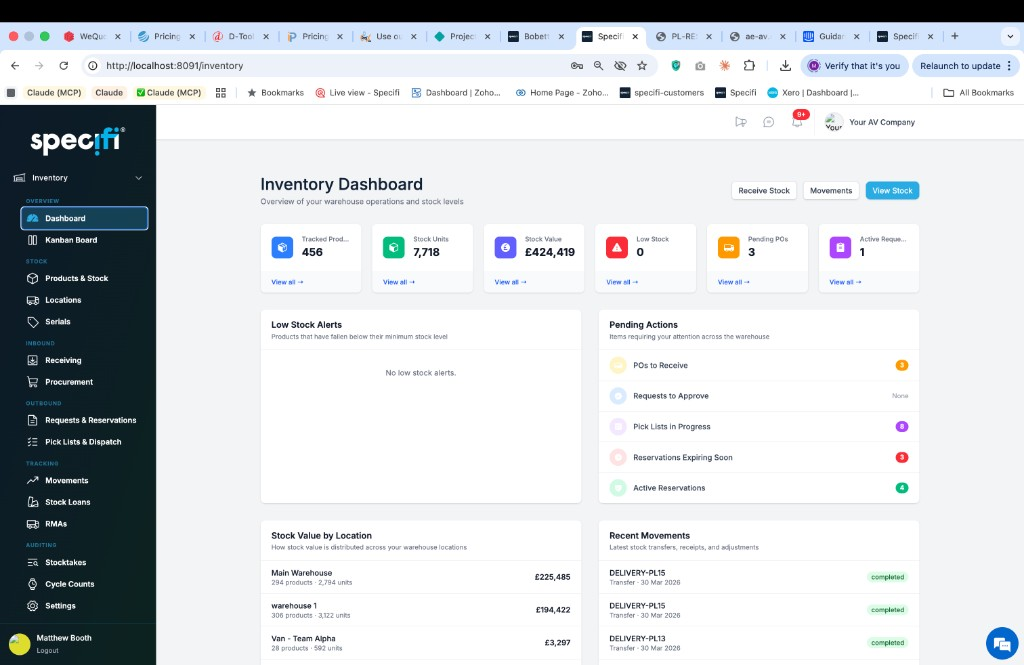
Configurable dashboard with quick stats, action-required alerts, and deep-dive widgets. See your entire inventory position without opening a spreadsheet. Real-time visibility across every location (warehouse, van, and site) with the numbers that drive procurement, reservation, and dispatch decisions.
10 / 11
// setupUp and running in under an hour.
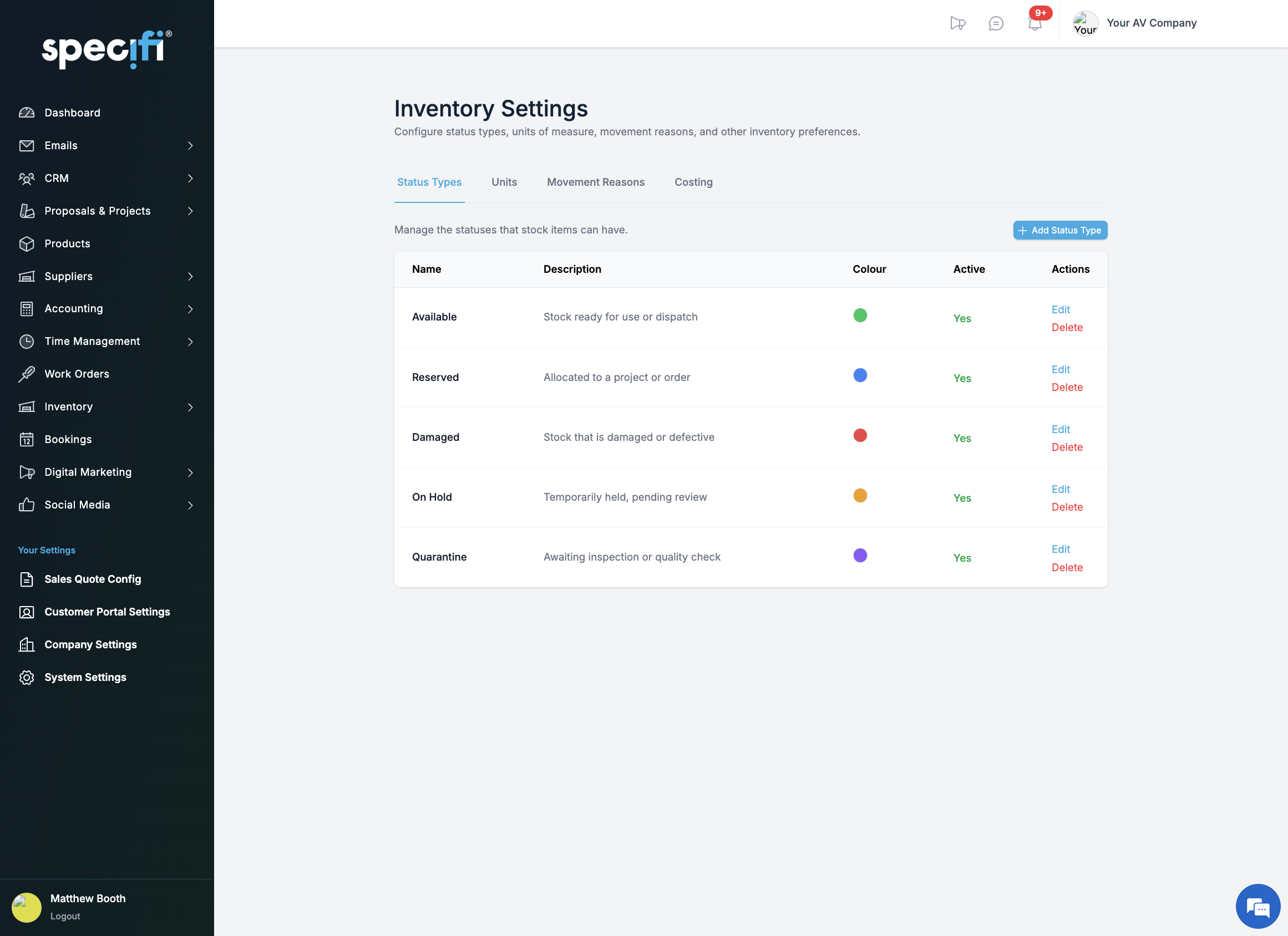
A six-step setup wizard walks you through stock status types, units of measure, movement reasons, locations, products from the Specifi catalogue, and opening stock. Import existing inventory via CSV with intelligent MPN matching. Preview matches, validate, and execute, or add stock manually at any time.
11 / 11