

There is an AV quoting workflow that most of the industry is still running on in 2026. It looks like this: pull a generic Word template off the shared drive, copy and paste the line items from a six-month-old quote, look up the current cost in three different supplier portals, guess the labour, send the PDF, wait. Then chase. Then rebuild it once because the spec changed.
It works. It is slow. It loses jobs to whoever's proposal arrived first and looked nicest. Below is what the Specifi quoting workflow looks like end-to-end. We use it ourselves. Most beta customers are quoting in under thirty minutes for jobs that used to take half a day.
Step 1: scope, not a blank page
Open a deal in the CRM and click New Proposal. The header carries the client details and the project address automatically. Bob the AI can draft the scope of work from a one-paragraph brief ("4-zone audio, 75" 4K TV in lounge, in-ceiling speakers in kitchen and dining"). The draft is editable. Most integrators trim it; nobody starts from a blank cursor.
Step 2: line items from the live catalogue
Add products from the live supplier catalogue. Each line carries the current supplier cost, the RRP, the image and the datasheet. The supplier markup is set per category or per line. If a supplier changes a price, the next proposal picks it up automatically. The day before CEDIA does not become the day every active proposal is silently out of date.
Step 3: labour, milestones, payment schedule
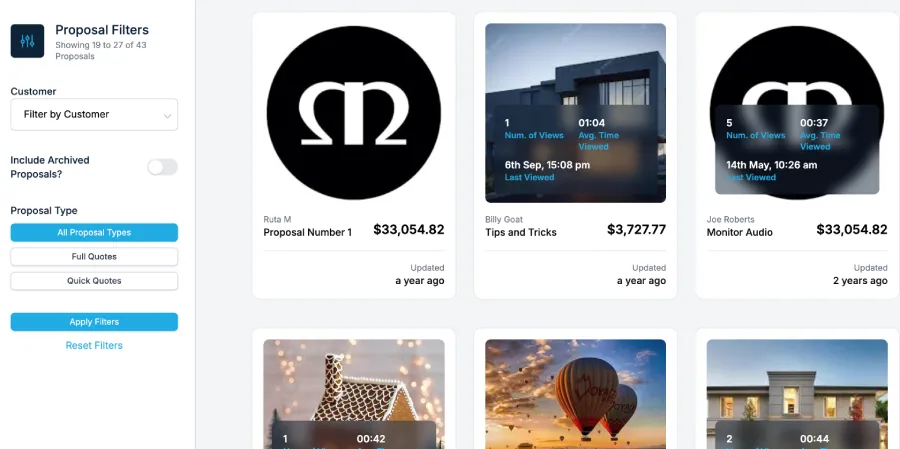
Labour is calculated from the line items or entered manually per phase. Specifi splits the total into milestones with a payment schedule attached. The deposit milestone is the default first; the install milestone is the default second; the closeout milestone collects the balance. You can change the split in 30 seconds.
Step 4: review, send, sign, deposit
Hit Send. The client receives a branded link to the customer portal. They can review, ask a question via the comment thread, sign electronically and pay the deposit in the same flow. Stripe takes the card; the deposit lands in your account; the proposal flips to "Won" automatically.
The integrator who collects the deposit at the signature moment closes 20-30% faster than the integrator who chases it the following week.
Ruta, Specifi
Step 5: project, work orders, invoices
Click Convert to Project. The line items become a work order. The milestones become an invoice schedule. The supplier line items become a draft purchase order for everything that is not already in inventory. The proposal you sent on Tuesday is now the project, the procurement plan and the invoice schedule. You typed it once.
What you stop doing
- Rebuilding the Word template every Monday
- Re-keying line items between the quote tool and the accounting tool
- Chasing deposits a week after the client said yes
- Discovering at month-end that a job lost margin because the supplier price moved while the proposal was open
If any of those are part of your current week, it is worth a twenty-minute demo. We will show you the live quoting flow on the live platform and let you decide.