

The integrator scenario this article exists to solve: it is 4:47 PM on a Friday. A client emails you with a change request on a job that is being commissioned Monday morning. The email lands in your inbox. It does not land in your project record. You see it Friday night on your phone, mean to log it Saturday, forget. Monday at 8 AM the install team is on site working from a work order that no longer matches what the client wants.
I work on the platform integrations team at Specifi. We built the email integration to make that scenario impossible. Not less likely. Impossible. Here is how.
Why polling does not work
A lot of "Gmail integration for CRM" products poll the mailbox. Every five minutes, the product asks Gmail "any new messages?" and Gmail answers. The problems with this:
- Latency. Best case, the email arrives in the CRM 2.5 minutes after it arrives in the inbox (the average wait between polls). Worst case, 5 minutes. The 4:47 PM email shows up in the CRM at 4:52 PM, after you have left the office.
- Quota. Gmail rate-limits polling. Once you are syncing more than a few hundred inboxes across a customer base, you are constantly bouncing off the quota wall.
- Missed updates. If a message was already read and then archived between two polls, the integration never sees it. You can build around this, but it is brittle.
- Battery. On mobile, a polling integration is a battery killer. Your account manager's phone dies by 3 PM.
Push, not pull
We use push notifications. Gmail publishes a Cloud Pub/Sub event the moment a new message arrives. Microsoft Graph offers the same thing for Outlook via webhooks. We subscribe to those events and the second a message lands in the inbox, our service knows. The time from inbox to CRM is under 800 milliseconds for the median message. The 4:47 PM email is in the project record by 4:47 PM.
What you see on your side
On the integrator side, the experience is boring, which is the point:
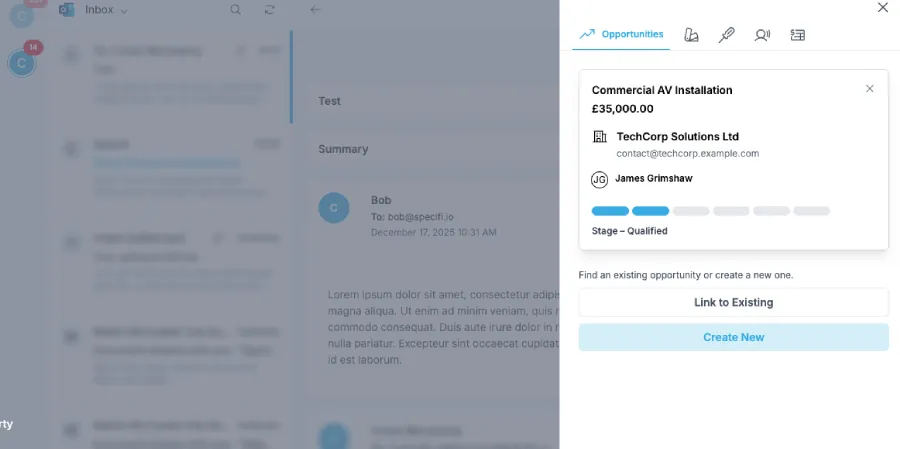
- Open the CRM record for a client. The right-hand panel shows the full email history with that client, threaded.
- Open a proposal or a work order. The same panel shows only the emails relevant to that specific job (matched on subject line, signed proposal, and project reference number).
- Reply from inside Specifi. The reply goes out from your real Gmail or Outlook address, lands in the client's inbox as a normal email, and threads back into the CRM. The client never sees a "via specifi.io" envelope.
The privacy contract
This is where I get blunt. Email integration is a trust trade. We are asking for read access to the integrator's inbox so we can surface the right messages in the right place. In exchange, we have a non-negotiable rule: we never store the body of an email. The body is fetched on demand, displayed in the CRM panel, and never persisted in our database. What we DO store is metadata (sender, recipient, subject, thread ID, project linkage) so we can re-fetch the body when you open the record. If you offboard from Specifi, the metadata leaves with you and we never had the body in the first place. Bob the AI operates under the same rule: he reads the body on demand to draft a reply, and forgets it the second the draft is in your hand.
You give us read access. We never store the email body. The two halves of that sentence are why integrators trust us with their inbox.
Nidheesh
How to turn it on
Setup is two clicks. Open your Specifi settings, click "Connect Gmail" or "Connect Outlook", approve the OAuth scopes. The sync is live in under 60 seconds. Existing email threads back-fill over the next few hours; new messages are real-time from the moment you connect. If you want a walk-through, book a demo and we will run it live against a test inbox. If you decide email sync is not for you (maybe your team uses a different stack), we will leave the rest of the platform running without it.